
Answering your questions about business and technology
Question
I want to try ChatGPT’s new image model (2.5?) but I don’t see it when I expand the left sidebar. How can I get to it?
~ Anonymous
Answer
Hello,
It’s time for everyone’s favorite answer, it depends…
If you want to see the templates and the trending styles, navigate to chatgpt.com/images. This is what the screen looks like -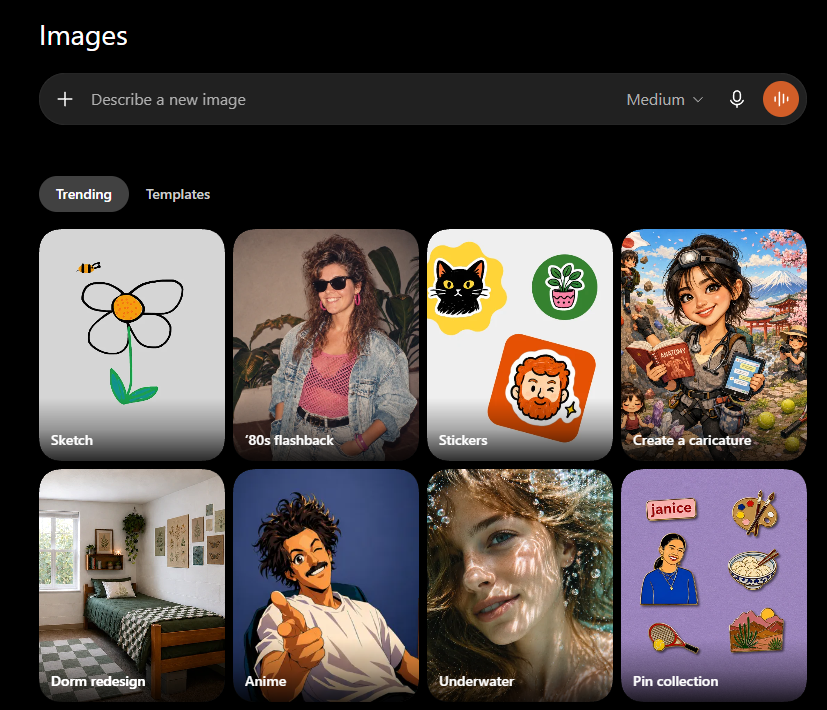
If you don’t want to see the templates, you can click on the plus to the left of the prompting area and select “Create image”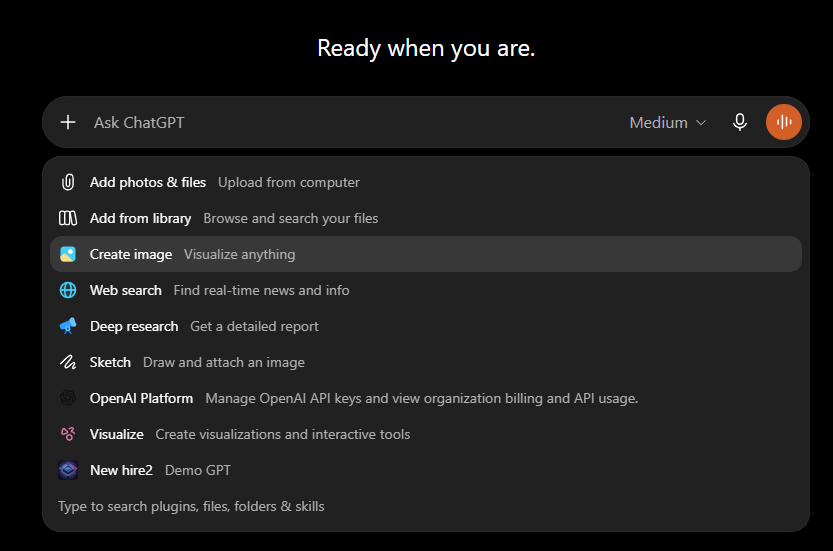
I think it’s worth noting that you can also put in “@Create image” in the prompting area to get the same menu.
After that, you can add your prompt.
Hope that helps.
~ Damien

Comments