<div class="statcounter"><a title="Web Analytics" href="https://statcounter.com/" target="_blank"><img class="statcounter" src="https://c.statcounter.com/12795394/0/d64e9537/1/" alt="Web Analytics" referrerPolicy="no-referrer-when-downgrade">

AI Quick Tips 287: ChatGPT group chat

A graphic title card on a dark blue background. On the left is an orange robot head with a speech bubble containing the text 'AI'. To the right is a light blue circle containing the words 'Quick Tips'.
 

Did you know that you can have more than one person in a ChatGPT session where you can all talk to the chatbot?

It’s a fairly new feature called group chat.  


One thing to note is that this feature is not on all accounts.  We have the business plan and this feature is not there.  It is on our free accounts though.  I’m not sure if OpenAI plans on adding it to all accounts.  


Anyway, if you do have the feature (and are interested in using it), here’s how it works

  • Start by clicking on the group chat icon in the upper right corner
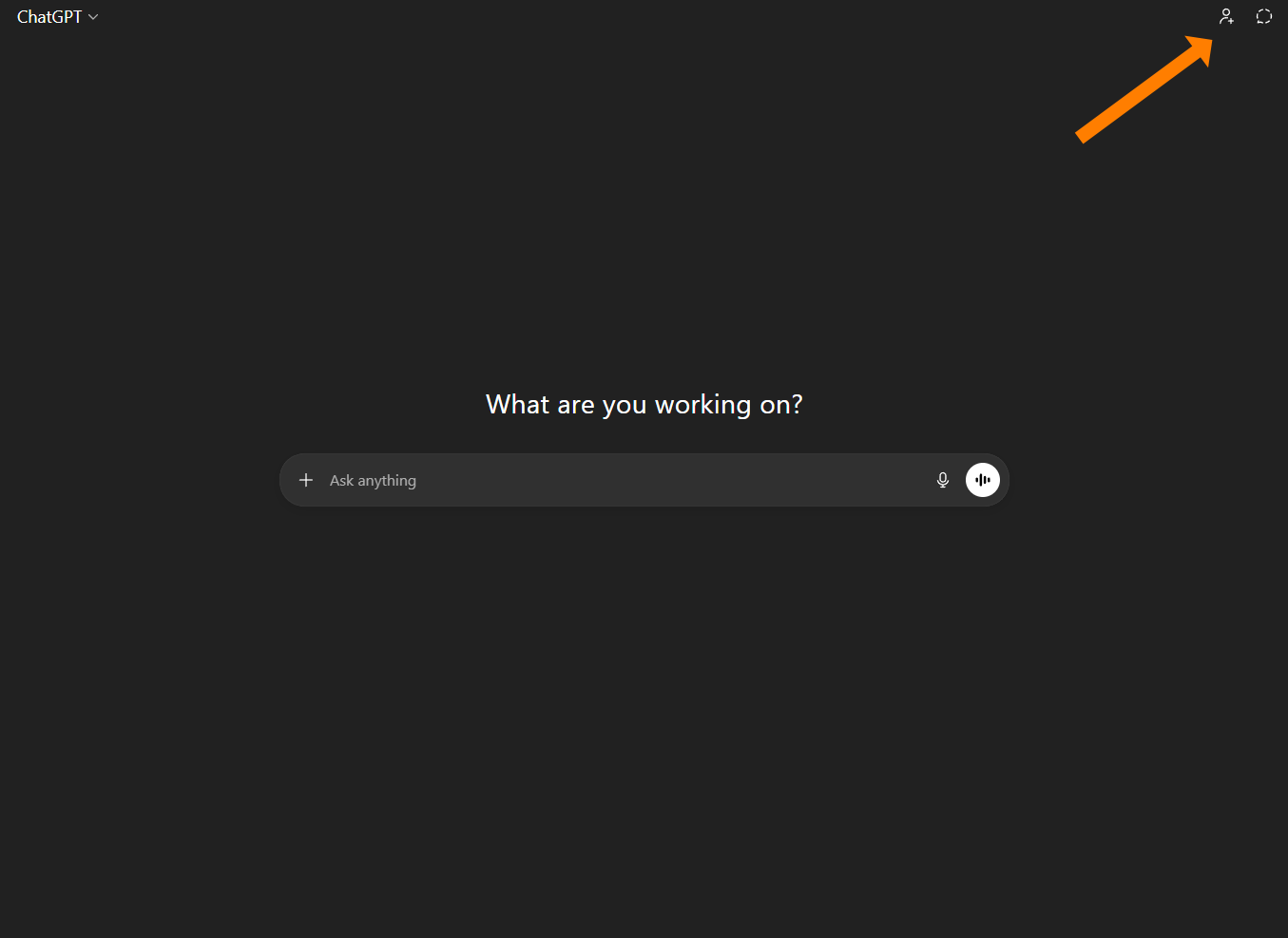
    The main ChatGPT interface with an orange arrow pointing to the "add person" icon in the top-right corner to start a group chat.
    A close-up view of the "add person" icon, represented by a stylized silhouette of a person next to a plus sign.
  • This will pop-up a menu where you can choose to start your group chat

    A notification box titled "Use ChatGPT together" with a description of group features and buttons to "Learn more," "Cancel," or "Start group chat".
  • You’ll go to a new screen and there will be a window with the group chat link (for you to share with the other members of the group)
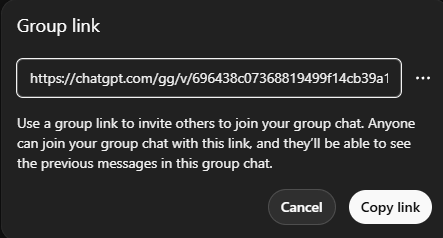
    A "Group link" pop-up window showing a shareable URL and a "Copy link" button for inviting others to a chat.
  • Now you are in a group chat.  You and the others that you invite can chat with each other.  You can all also chat with the chatbot like you normally would
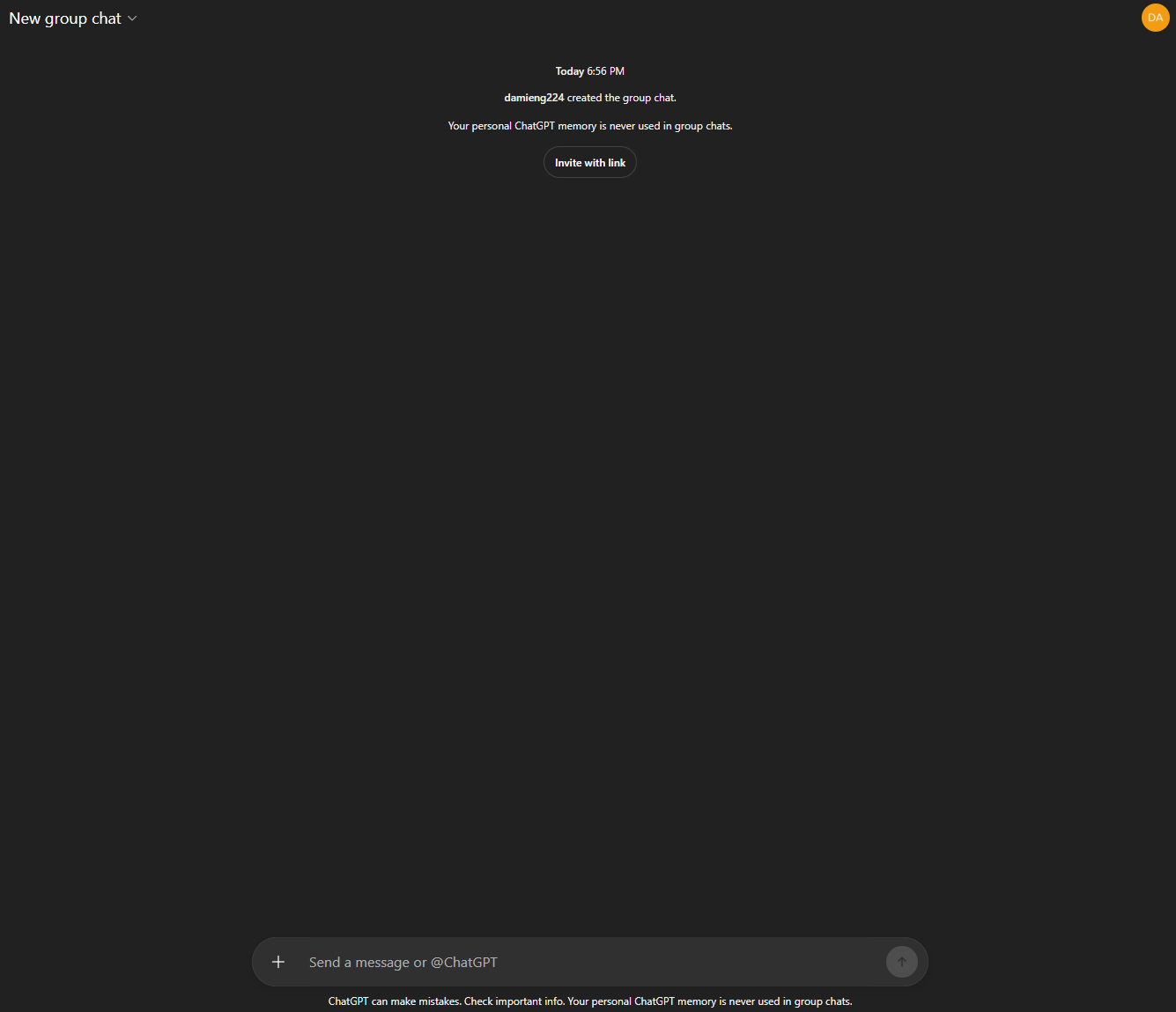
    A new group chat window showing a notification that personal memory is disabled and a button to "Invite with link".
  • There will also be a section on the left sidebar for your group chats
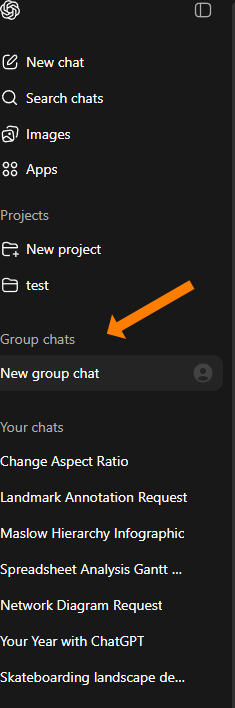
    A sidebar navigation menu with an orange arrow highlighting the "New group chat" option under the "Group chats" section.


YouTube Subscribe CTA - 4

Yes, There Are Videos Too.

Watch AI tools get used in real life, not just talked about.

Comments

Related posts