


ChatGPT’s Deep Research agent has gotten a facelift and feature change.
Depending on when you are reading this and what plan you have, you may not see the changes yet. Currently, the free and Go plans have not gotten this upgrade but they are supposed to get it soon (I don’t know when since they didn’t specify).
Anyway, in short, they have added these features to Deep Research -
- Uses GPT-5.2
- You can choose which sites are used to gather data
- You can add or change instructions while the research is on-going
- You can change sources while the research is on-going
- You can view the entire report within ChatGPT’s full-screen document viewer
- Also includes the sources used
You get started by clicking on the plus on the left side of the prompting area, selecting more, then selecting Deep research.
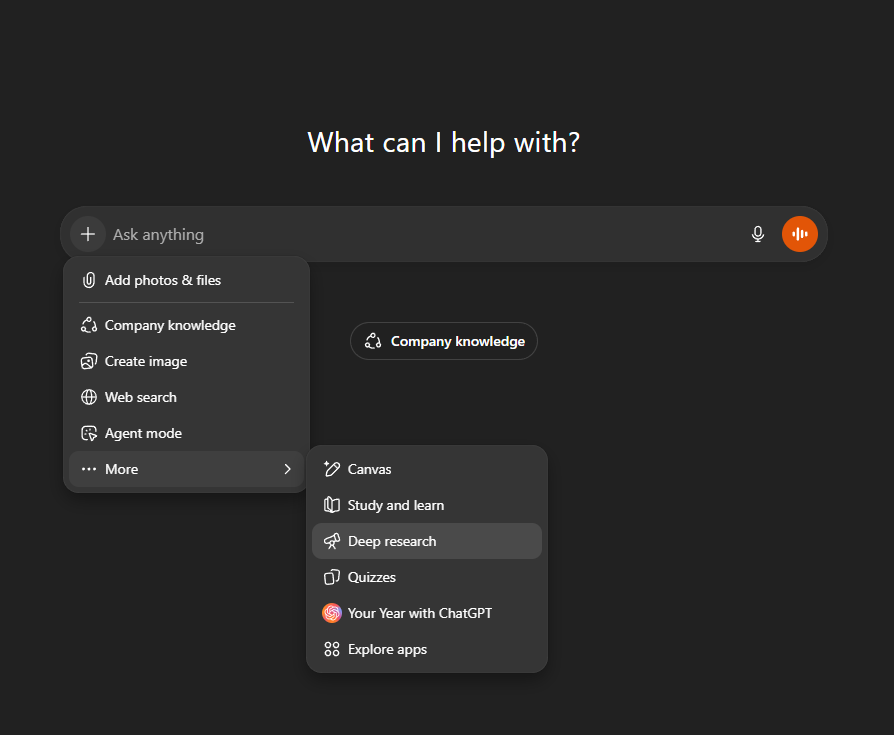
There is now a Sites dropdown where you can define which sites to use.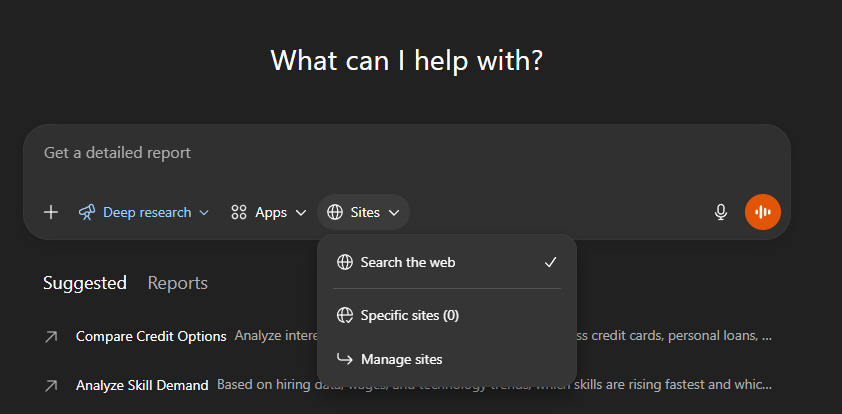
Once you enter your prompt, you get a chain of thought window with what the model intends to do. You can click on edit to change this process if it doesn’t align with what you want.
Now, while the research is happening, you can click on Update and send prompts to the model. This can be to add more information, add more websites to research, change course, whatever you can think of really.
When it’s done, you have a full-screen view that has the report, a table of contents, and a sources list. As usual, you can download the reports if you like.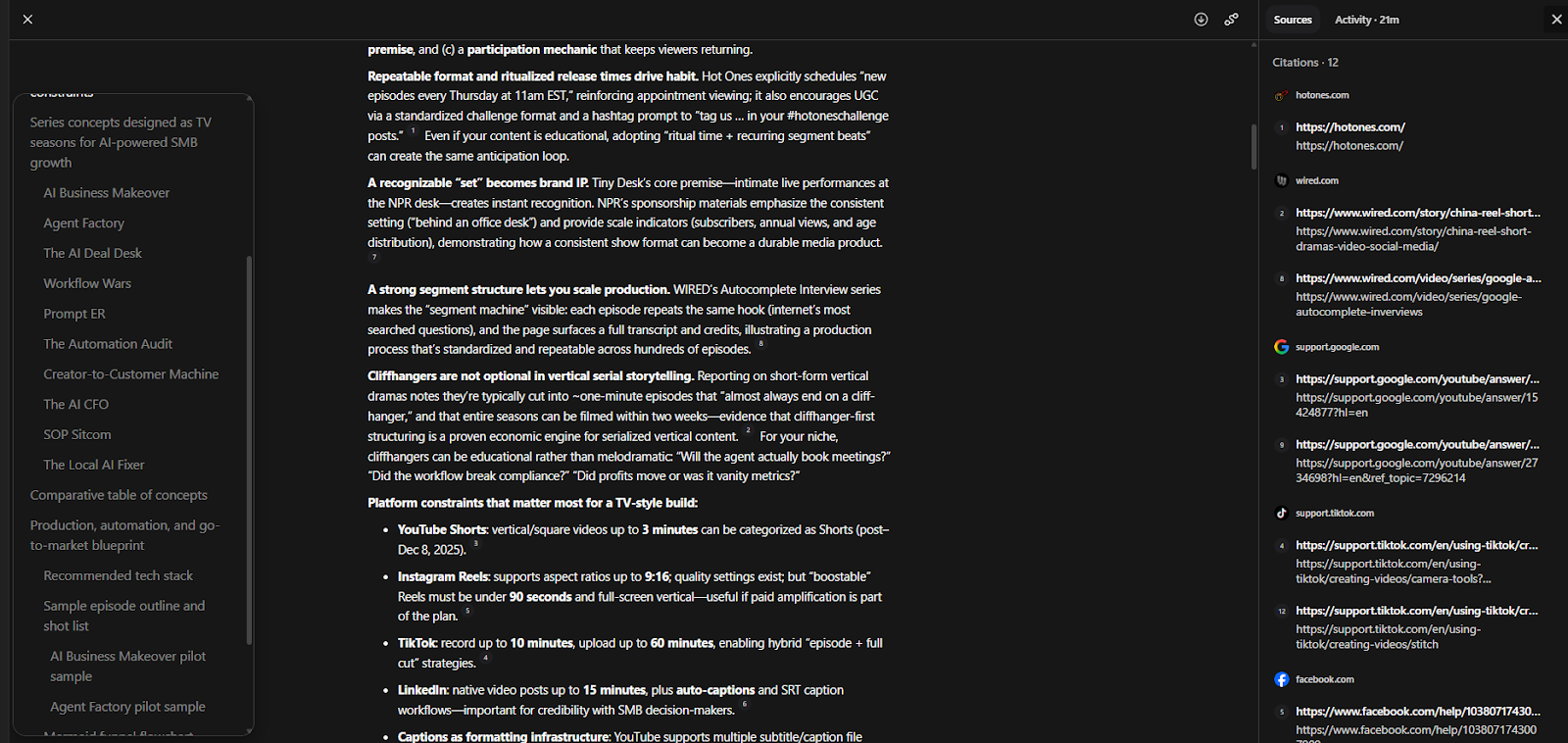

Want to Learn ChatGPT Without Drowning in Theory?
Think “ChatGPT training, minus the boring montage.”
Comments