


If you read through Google’s Gemini API docs then you have probably already seen most of what will be in this post. After thinking about it, most people don’t read through Gemini’s API docs and, I would guess that, a lot of people don’t even know what API docs are.
Anyway, Google recommends adding prefixes to your Gemini prompts when it makes sense.
They define a prefix as a word or phrase that you add to the prompt content that can serve several purposes, depending on where you put the prefix:
- Input prefix - Adding a prefix to the input signals semantically meaningful parts of the input to the model.
- For example, the prefixes “English:” and “French:” demarcate two different languages
- Output prefix - Even though the output is generated by the model, you can add a prefix for the output in the prompt. The output prefix gives the model information about what’s expected as a response.
- For example, the output prefix “JSON:” signals to the model that the output should be in JSON format.
- Example prefix - In few-shot prompts, adding prefixes to the examples provides labels that the model can use when generating the output, which makes it easier to parse output content
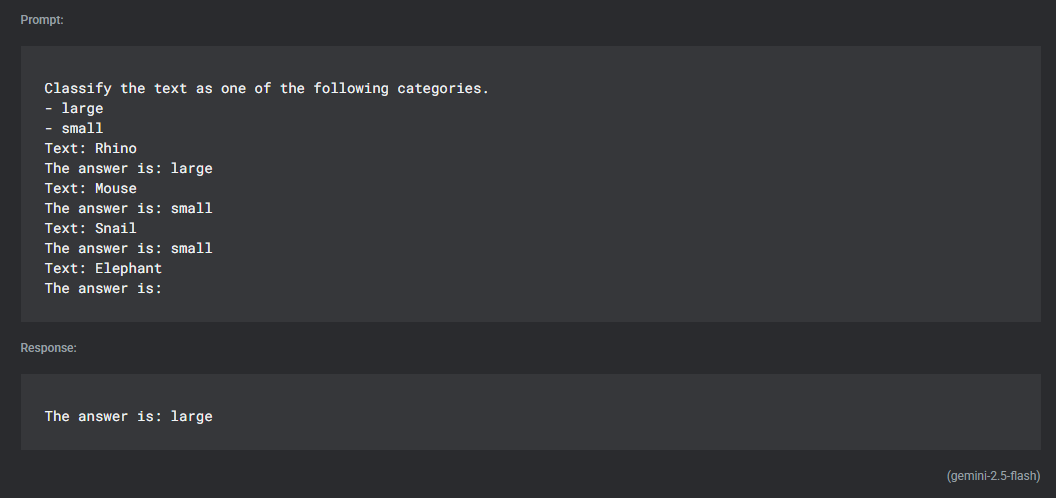
In the following example, “Text:” is the input prefix and “The answer is:” is the output prefix

Stop Copying Prompts. Start Creating Better Ones.
Start the free ChatGPT Kickstarter Email Course.
Comments