


This AI feature fest is crazy. I still can’t tell if the consumers are the winners or losers. New features daily but that means things also change daily and workflow rhythms are broken more often.
I’ve been in tech circles long enough to expect daily changes so I’m all for it.
Anyway, Google has added data tables to NotebookLM.
“What’s a data table?” you ask? It’s a structure that organizes data into a grid with rows and columns. A worksheet/sheet from a spreadsheet application or a table from a database application are the first examples that come to mind.
Being able to create these with NotebookLM saves the time that you would have to spend to get things organized enough to be usable.
The created data tables can be exported directly to Google Sheets for further editing or integration with existing data.
I made a video if you prefer to watch rather than read:
To access the feature
- Go to notebooklm.google.com
- Create or open a notebook
- Verify that you have at least one source added
- Or add at least one source
- Find the data table option under the Studio column
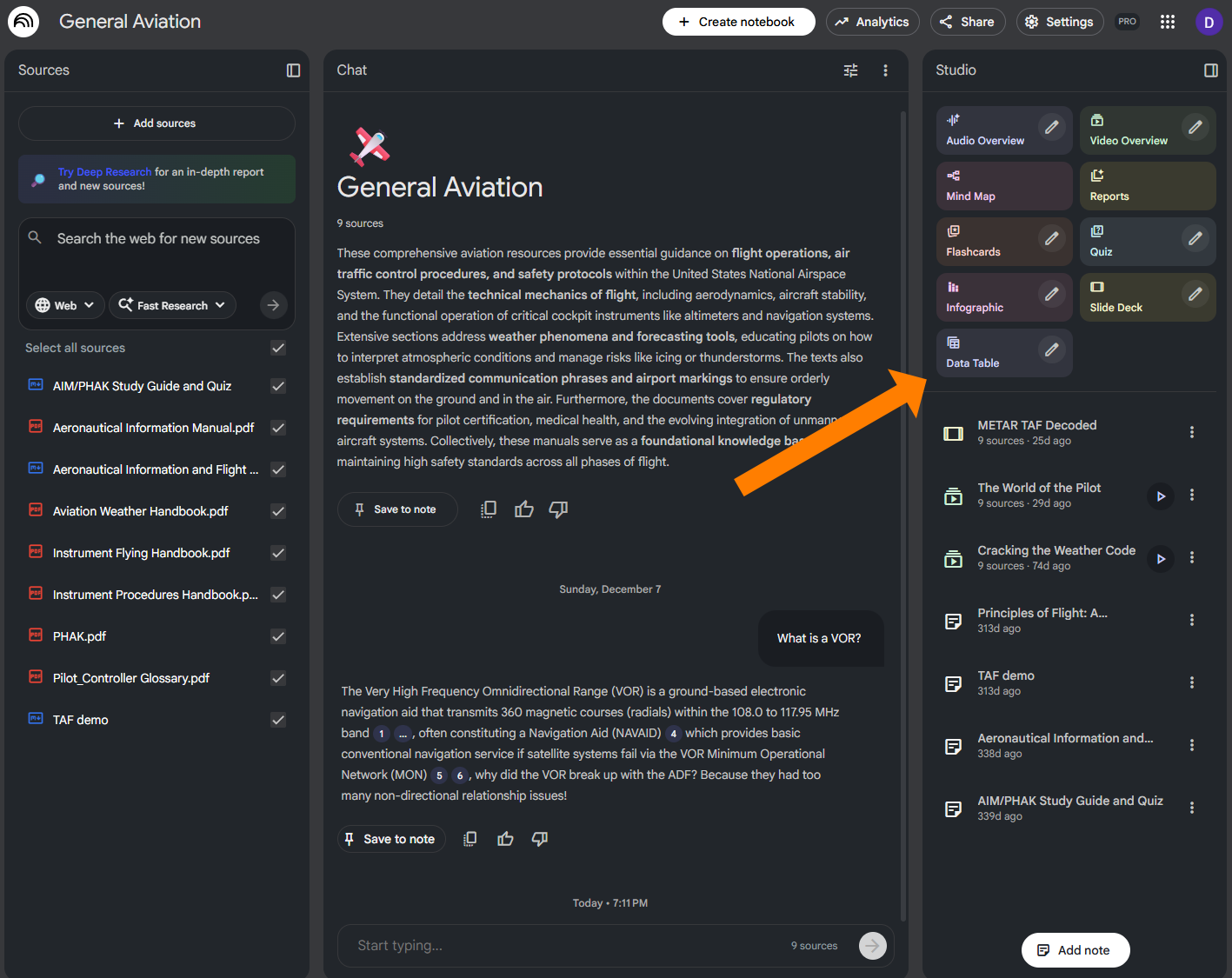
- Click the pencil to add the details of what you want
They are rolling out the feature slowly so if you don’t see it yet, check back later. They only said that all users will have it in “the upcoming weeks” so it’s hard to predict exactly how long that will be.

AI Makes More Sense When You Can See It.
Subscribe for practical demos and clear explanations.
Comments