


This is likely aimed at the longer-term computer users (that’s my nice way of saying “older, like me”) who are used to using Google search. A lot of the younger people that I’ve talked to, use AI tools first and don’t even consider Google search.
Whoever it’s for, it’s there now. 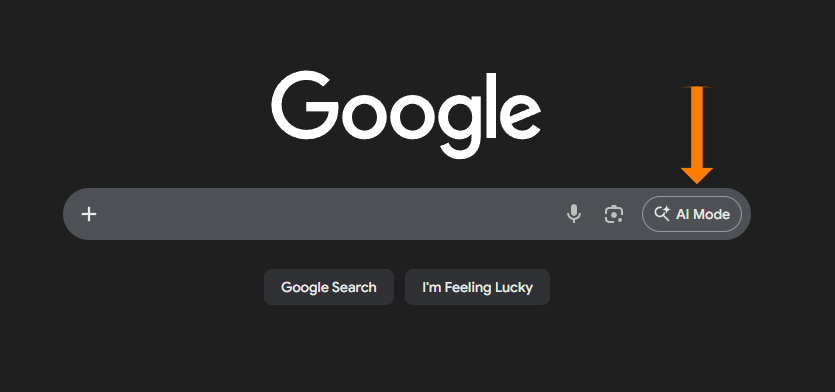
It’s hard to miss. Especially when I put in a giant orange arrow pointing right at it…
When you click on AI Mode, you get a completely different screen and experience. 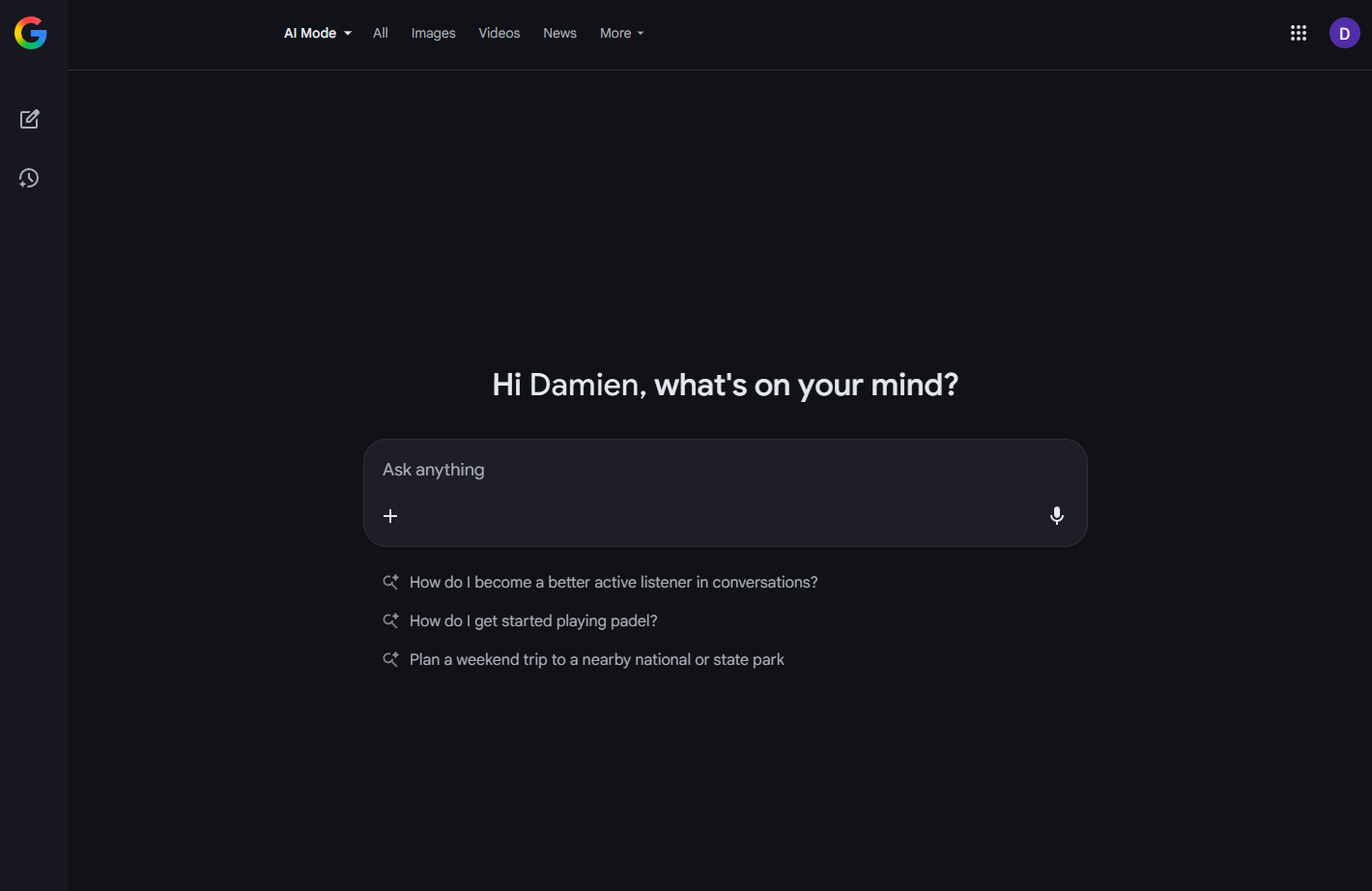
It’s basically Gemini when you want it. Initially, I didn’t really see the point, but I actually find it useful. Sometimes the AI chatbot interface is a better tool and sometimes “classic” search makes more sense. Obviously, your mileage may vary. If you are scoffing at the idea, you may want to give it a try first.
No promises though, you might still hate it.
If you’ve used the Gemini app before, this is a watered-down version. Here are the options under the “+” menu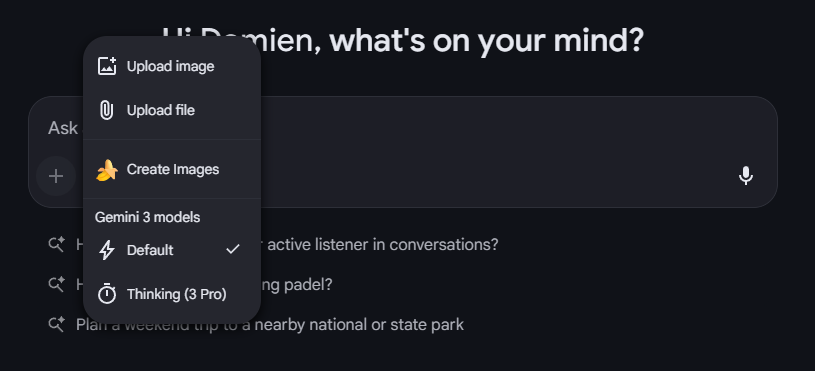
The good news is that it’s already attached to Google Search so you don’t have to do anything differently. And if you don’t want to use it, you don’t have to.
Completely new to Gemini and want to know how to get started?? We have a video just for that →

Stop Guessing. Start Scaling.
The Human + AI Playbook Template helps you turn everyday AI use into repeatable systems that actually save time—and multiply results.
Comments