


If you read the post about temporary chats in ChatGPT and thought that you wished you could do that in Gemini (or you didn’t read it but now you MUST know how to do this), you’re in luck.
Gemini also has an option for temporary chats. These are chats that aren’t saved with your other chats and aren’t used to train their models (so they say).
You might want to use them if you have no reason to save the chat, you are just testing something, etc.
Starting a temporary chat is easy and it’s also easy to miss.
If you expand the menu on the side, there is a temporary chat icon across from “New chat”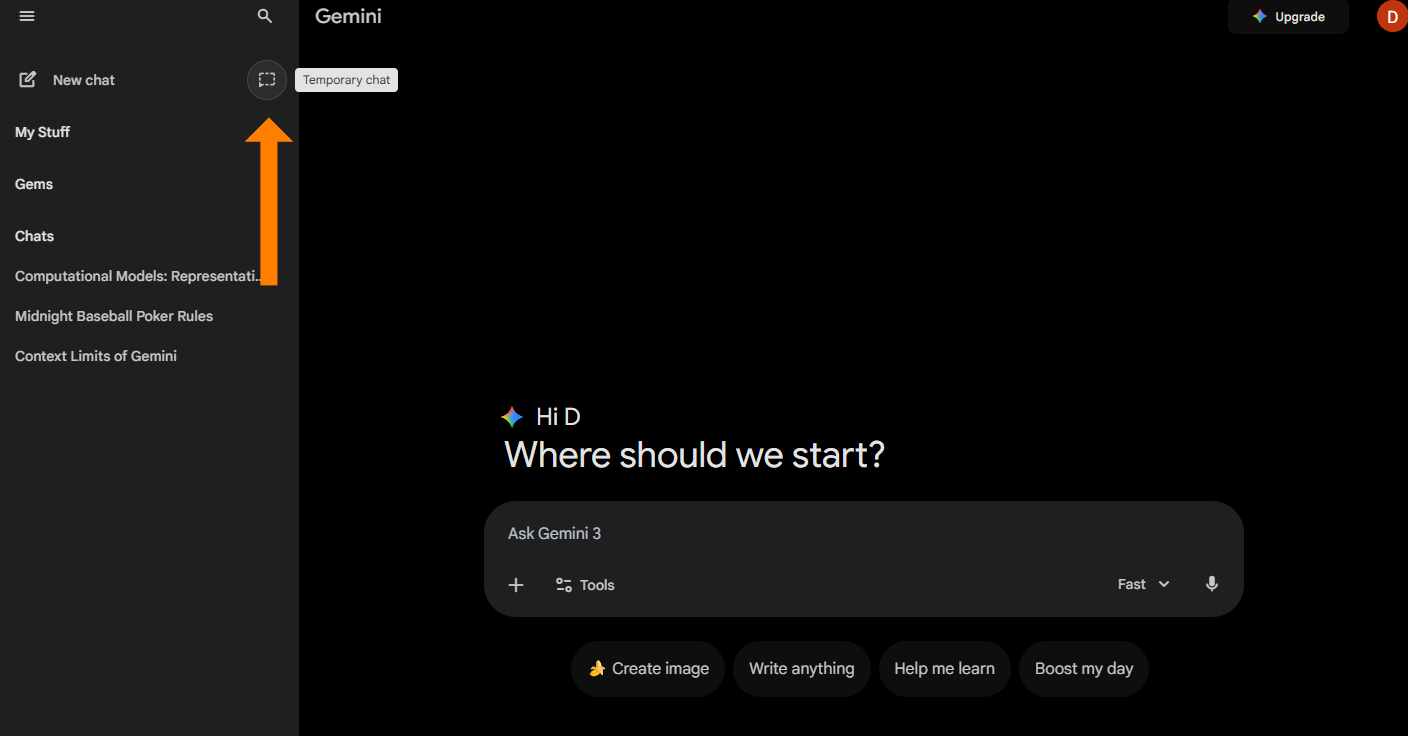
Click that and your “Where should we start?” message above your prompting area will change to let you know that you are now in a temporary chat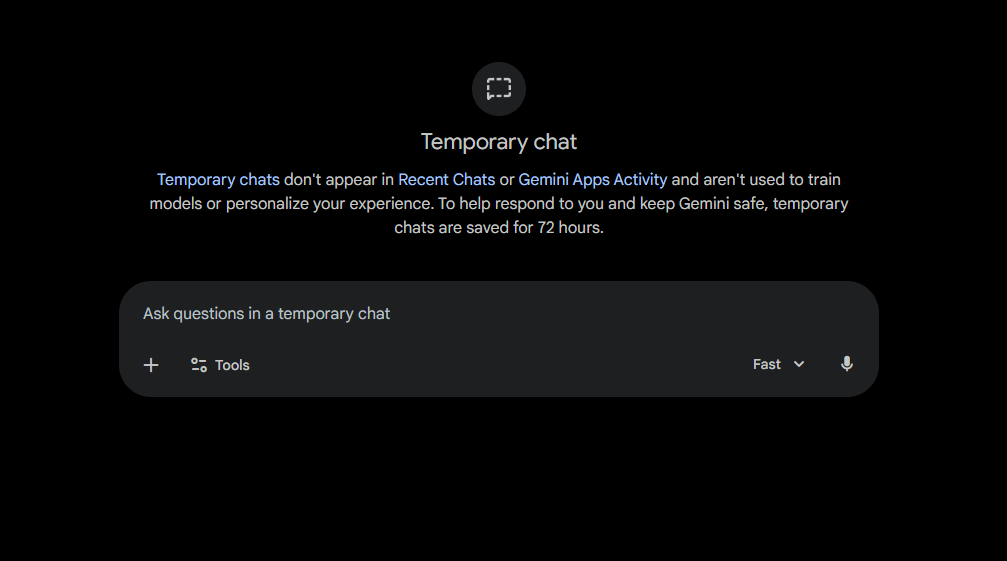
Chat away and when you are done, so is the chat. It won’t be saved or available to you in your chat history and you can go on to the next task.

Feeling Behind on AI? That’s Fixable.
5 short emails. Practical ideas. Zero overwhelm.
Comments