<div class="statcounter"><a title="Web Analytics" href="https://statcounter.com/" target="_blank"><img class="statcounter" src="https://c.statcounter.com/12795394/0/d64e9537/1/" alt="Web Analytics" referrerPolicy="no-referrer-when-downgrade">

AI Quick Tips 311: Gemini makes music now!

A graphic title card on a dark blue background. On the left is an orange robot head with a speech bubble containing the text 'AI'. To the right is a light blue circle containing the words 'Quick Tips'.

Yeah, you can now use Google Gemini as an AI music generator. Technically, they’ve had music models for a while but they were either in Vertex AI or very specialized apps that very few people knew about.

Not anymore. Lyria 3 is their latest high-fidelity music generator and it can create 30-second tracks in Gemini today.


To use it, go to gemini.google.com
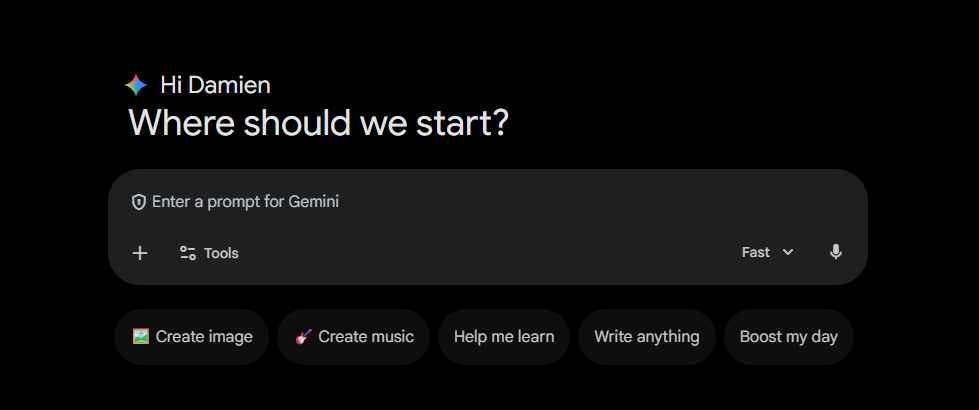
A screenshot of the Gemini home screen in dark mode with the greeting "Hi Damien, Where should we start?". Below the prompt bar are several action buttons: "Create image," "Create music," "Help me learn," "Write anything," and "Boost my day".


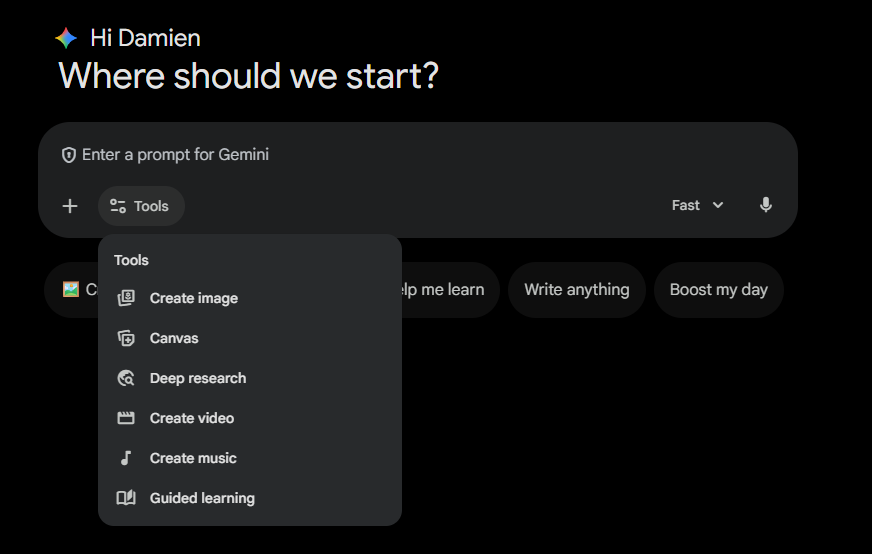
Click on Tools

A screenshot of the Gemini interface with the "Tools" menu expanded from the prompt bar. The list of tools includes "Create image," "Canvas," "Deep research," "Create video," "Create music," and "Guided learning".


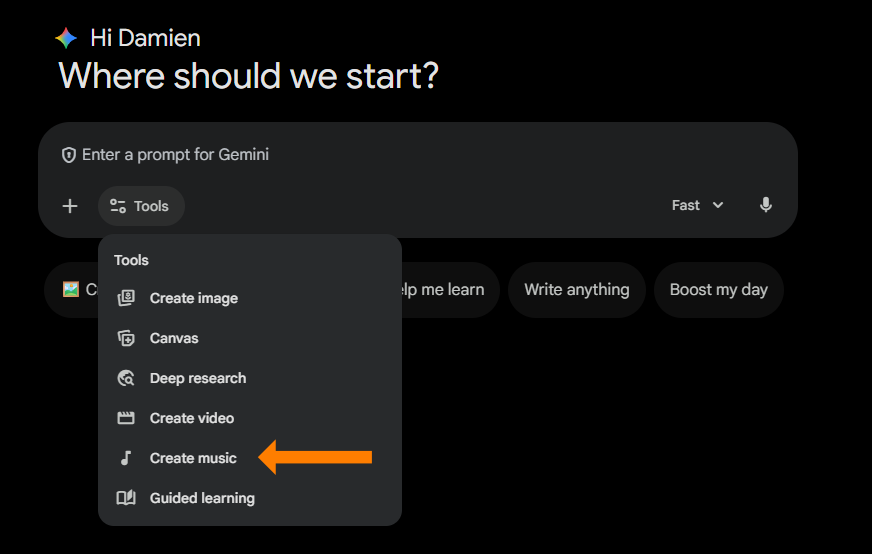
And select Create music

A screenshot of the Gemini "Tools" menu with an orange arrow pointing directly to the "Create music" option.


Now you get a new interface where you can pick a track to remix
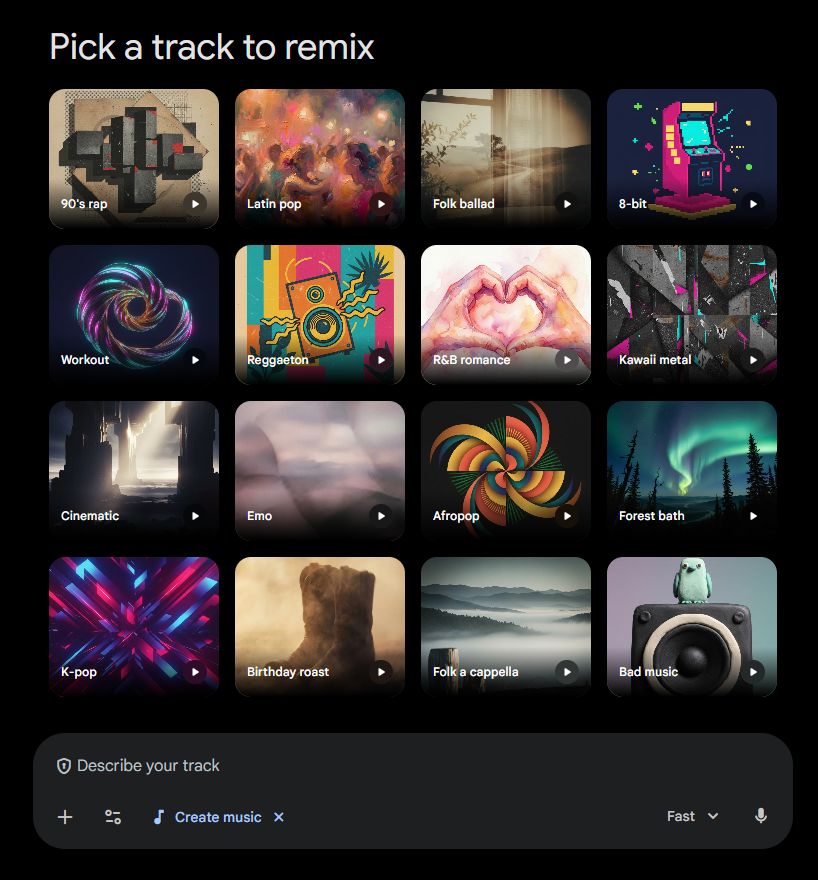
A "Pick a track to remix" interface in Gemini displaying a 4x4 grid of musical genre tiles. Featured genres include "90's rap," "Latin pop," "8-bit," "Kawaii metal," "Forest bath," and "Bad music," each with a representative thumbnail image and a play icon. A prompt bar at the bottom says "Describe your track".


You can click on the little play icon on any of the tracks to preview them. Once you select a track, it will add it to your prompt and you can put in your instructions
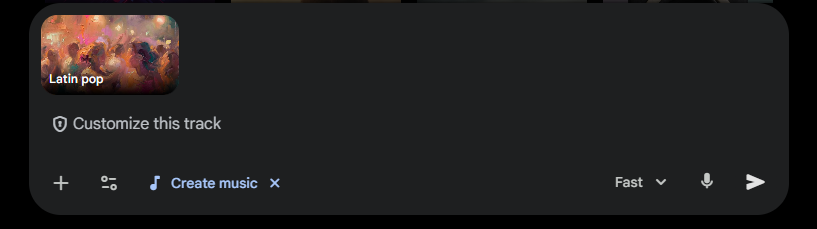
A close-up of the Gemini prompt bar after selecting a genre. A small "Latin pop" thumbnail is visible in the top left of the bar, followed by the text "Customize this track".

What are you waiting for? If you read this far then you must be interested. Go try it out!


Want to see this in action? Watch (and listen) here ↓ 


A cartoon illustration shows an orange monster character holding a tablet with a

Ready to Use AI for Real Work?

Next-Level AI Workshops help you build systems, workflows, and habits that actually stick.

Comments

Related posts