<div class="statcounter"><a title="Web Analytics" href="https://statcounter.com/" target="_blank"><img class="statcounter" src="https://c.statcounter.com/12795394/0/d64e9537/1/" alt="Web Analytics" referrerPolicy="no-referrer-when-downgrade">

AI Quick Tips 312: NotebookLM now supports .epub

A graphic title card on a dark blue background. On the left is an orange robot head with a speech bubble containing the text 'AI'. To the right is a light blue circle containing the words 'Quick Tips'.

You either read that title and thought “what’s .epub?” or thought “Finally!” and did a backflip.


That leaves me in a weird position.

If you don’t know what it is, you probably won’t care much (i.e., you likely don’t have a massive collection of .epubs that you’ve wanted to use with NotebookLM).

And if you are really excited about it then you probably haven’t even read this far because you are already in NotebookLM trying it out.


Oh well, I will press on and keep it short so that you can go and “play”.


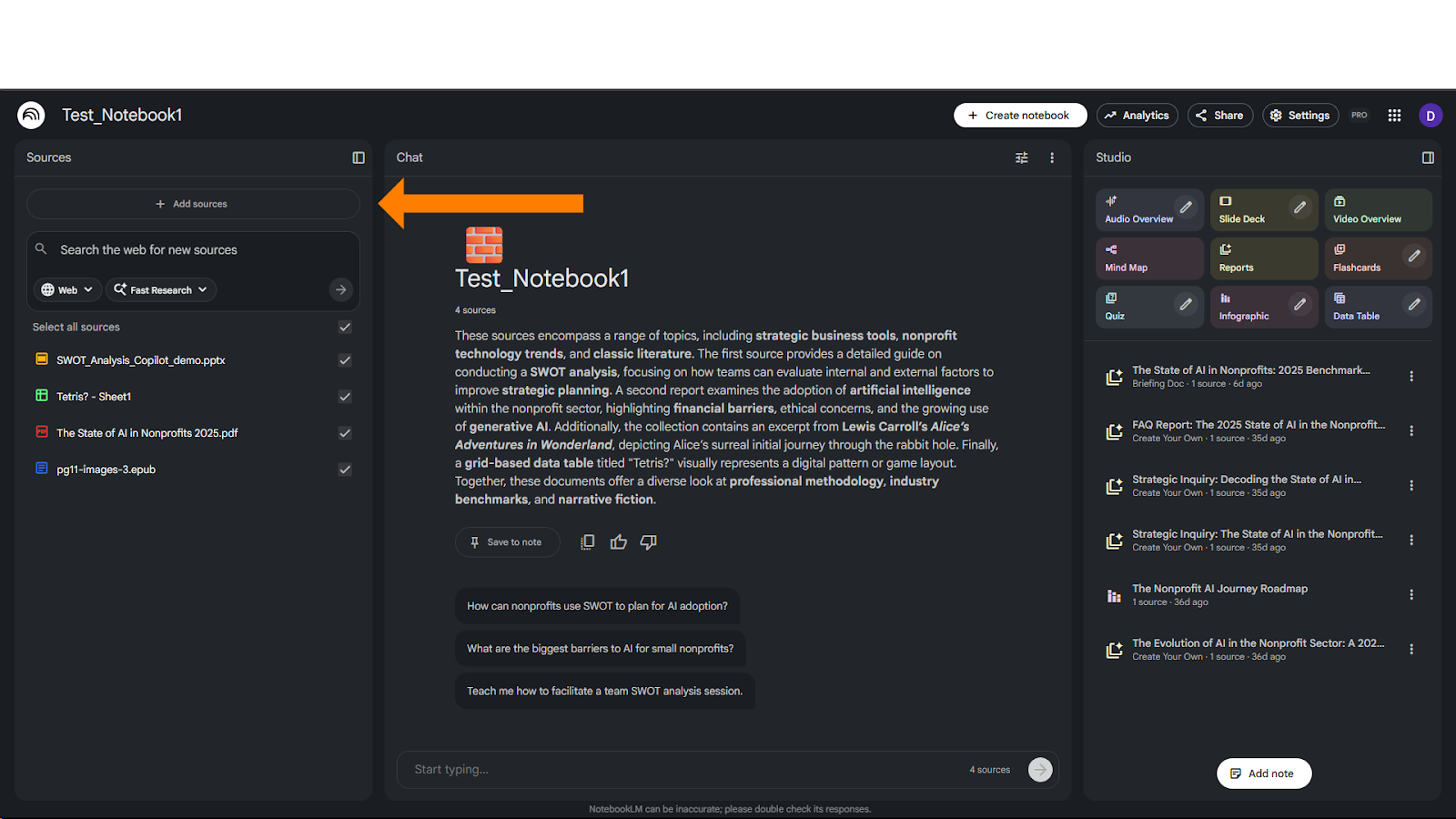
There isn’t anything different with the process of adding .epub sources. Just go to notebooklm.google.com, open a notebook, click add sourceA screenshot of the NotebookLM dashboard for "Test_Notebook1" in dark mode. An orange arrow points to the "+ Add sources" button in the left sidebar, which is used to expand the current collection of four documents. The central chat area provides a summary of the loaded topics, ranging from strategic business tools to classic literature.
 

Now, epub is in the list (hover over and more)
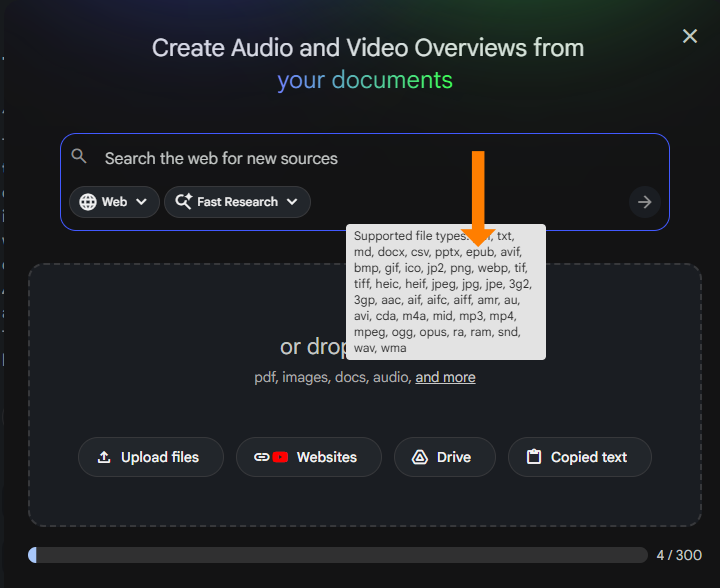
A screenshot of the "Create Audio and Video Overviews from your documents" upload menu in NotebookLM. An orange arrow points to a white tooltip listing dozens of supported file types, including .epub, .avif, .bmp, .mp3, .mp4, and .wav. Below the search bar, buttons allow users to "Upload files," link "Websites," connect to "Drive," or use "Copied text".


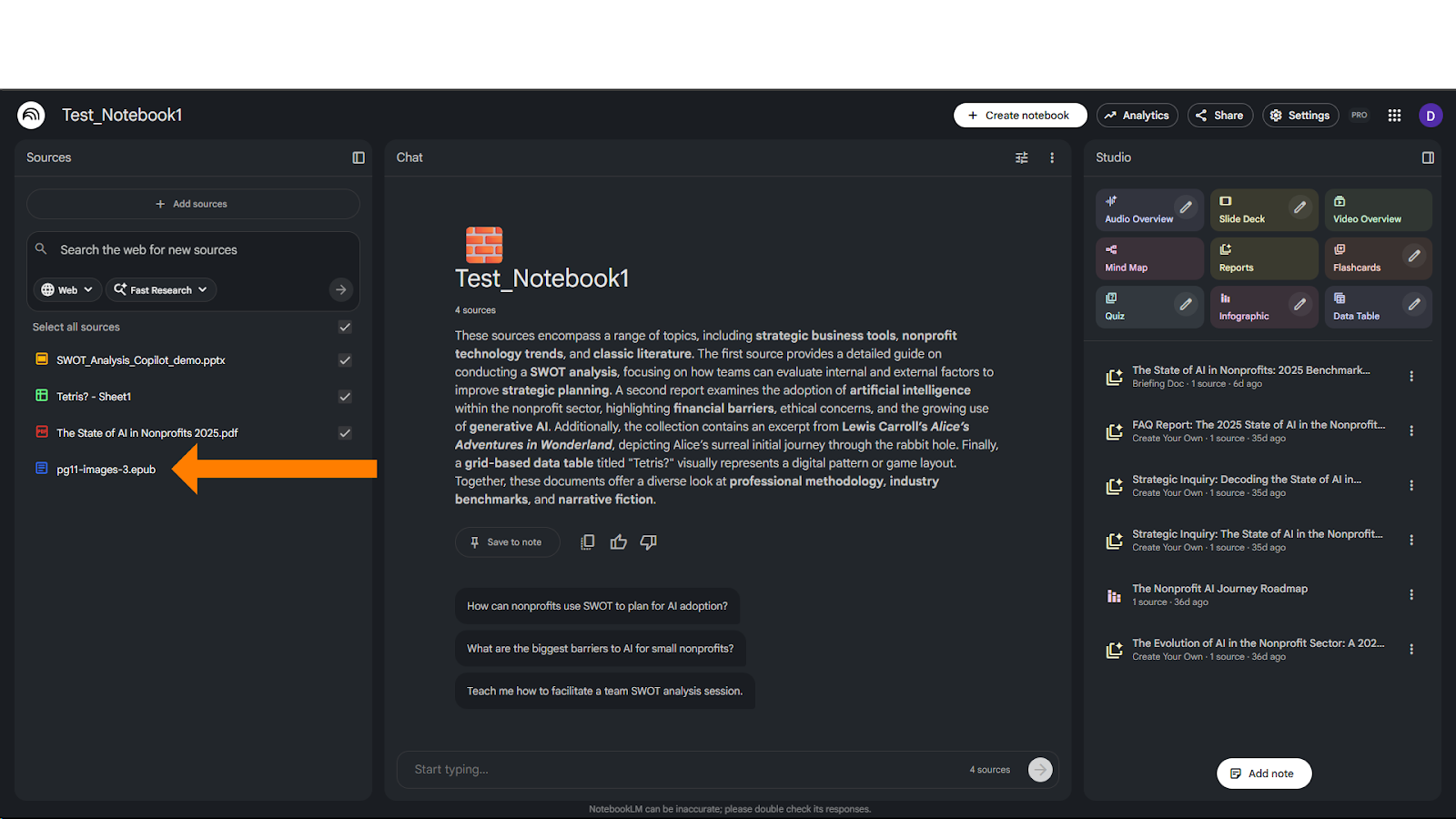
Add your file(s), and you should be able to chat or create artifacts from itA screenshot of the NotebookLM "Test_Notebook1" dashboard with an orange arrow pointing to a specific source in the left sidebar titled "pg11-images-3.epub". This indicates the platform's ability to now process and analyze eBook files alongside PDFs and slide decks. The right "Studio" panel shows previously generated reports and audio overviews based on these diverse sources.


Watch a demo:


NotebookLM Weekend Masterclass - Cohort 2 no Dates

Your Weekend, Upgraded

 Walk away with a working NotebookLM setup you’ll still be using next week. 

Comments

Related posts