

<div class="statcounter"><a title="Web Analytics" href="https://statcounter.com/" target="_blank"><img class="statcounter" src="https://c.statcounter.com/12795394/0/d64e9537/1/" alt="Web Analytics" referrerPolicy="no-referrer-when-downgrade">

AI Quick Tips 318: Use Nano Banana 2 in Perplexity

AI Quick Tips

“What’s a Nano Banana?” This post might not be for you…

Still here, okay, Nano Banana 2 is Google’s new (this week) image model. It is technically gemini-3.1-flash-image-preview. See why they went with the easier to remember name?


Anyway, you can use this model in Perplexity if that is your AI tool of choice. By default, Perplexity chooses the image generation model that it uses based off of your prompts but you can change that behavior.


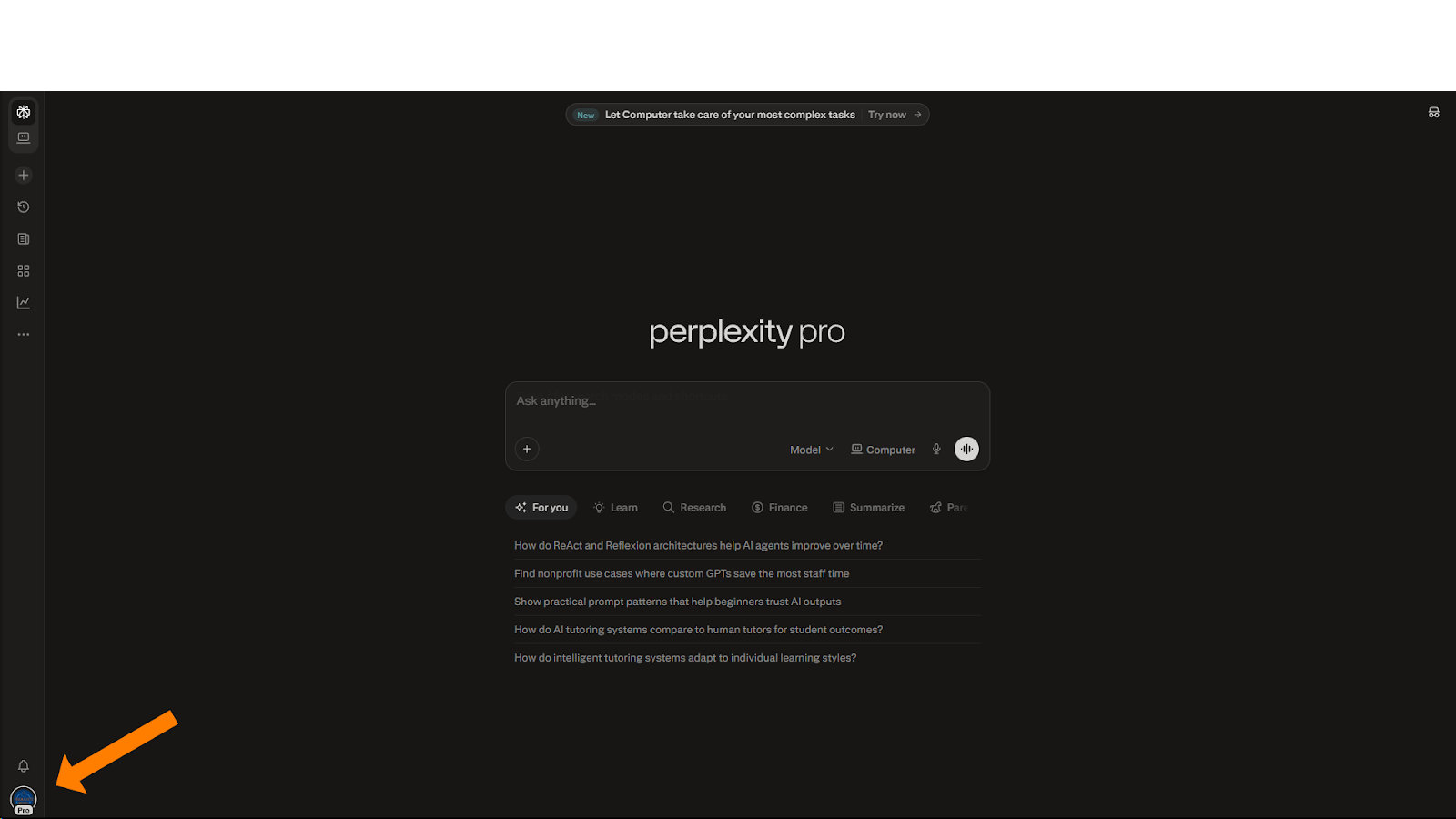
From the main screen (perplexity.ai) click on Account & Settings in the bottom left cornerA full-screen screenshot of the Perplexity Pro home page in dark mode. An orange arrow in the bottom-left corner points to the user's profile icon, which is used to access account settings. The central search bar features the "Computer" mode toggle, and several suggested search queries are listed below it.
 

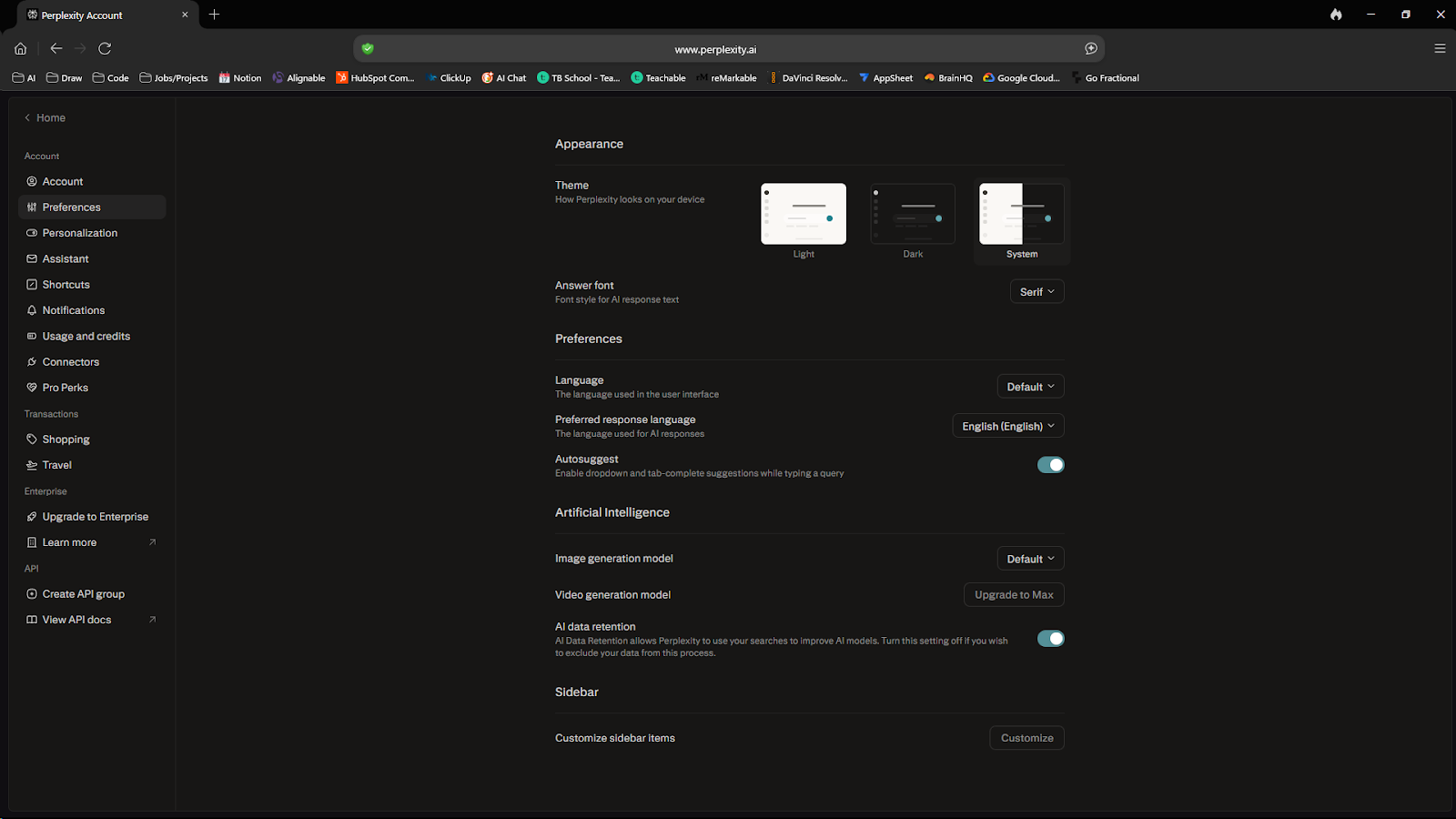
Choose Preferences from the menu that pops up. It will take you to this screenA screenshot of the Perplexity "Account Settings" page under the "Preferences" tab. The interface allows users to customize Appearance (Theme and Answer font), Language settings, and Artificial Intelligence preferences, including a toggle for AI data retention.
 

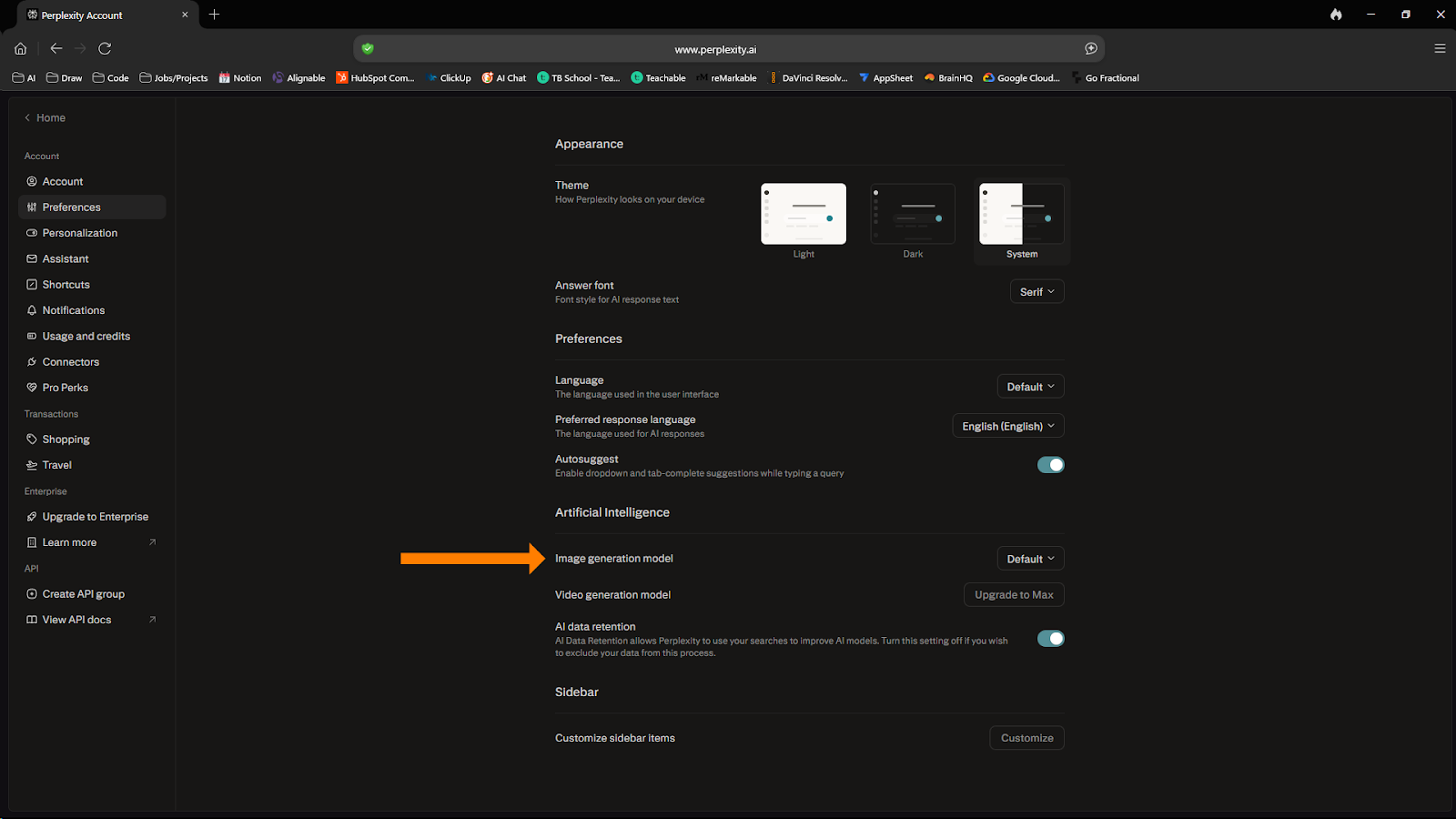
On the right side of the screen, under the Artificial Intelligence section, find the “Image generation model” sectionA screenshot of the Perplexity "Preferences" menu with an orange arrow pointing to the "Image generation model" selector. The current setting is shown as "Default".
 

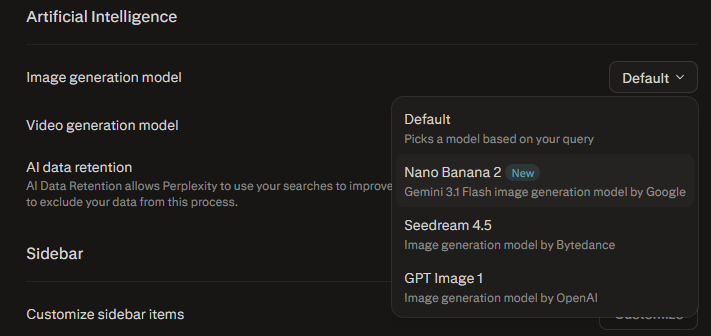
Last step, click on Default and select Nano Banana 2 from the drop-down menuA close-up of the "Image generation model" dropdown menu in Perplexity. The menu lists three options: "Default," "Nano Banana 2" (tagged as "New" and described as the Gemini 3 Flash image generation model by Google), and "Seedream 4.5" by Bytedance.


Watch a demo: 

Next Level AI Workshops Featured Image (2000 x 1000 px)

Cool Tool. Now What?

Turn tools like this into actual workflows you’ll use.

Comments

Related posts