<div class="statcounter"><a title="Web Analytics" href="https://statcounter.com/" target="_blank"><img class="statcounter" src="https://c.statcounter.com/12795394/0/d64e9537/1/" alt="Web Analytics" referrerPolicy="no-referrer-when-downgrade">

AI Quick Tips 319: Firefox has hidden chatbots

A graphic title card on a dark blue background. On the left is an orange robot head with a speech bubble containing the text 'AI'. To the right is a light blue circle containing the words 'Quick Tips'.

Firefox has an answer to the AI chatbots that now have browser tools (i.e., Perplexity, Comet, or OpenAI’s Atlas). They’ve added multiple AI chatbots to their extremely popular browser.

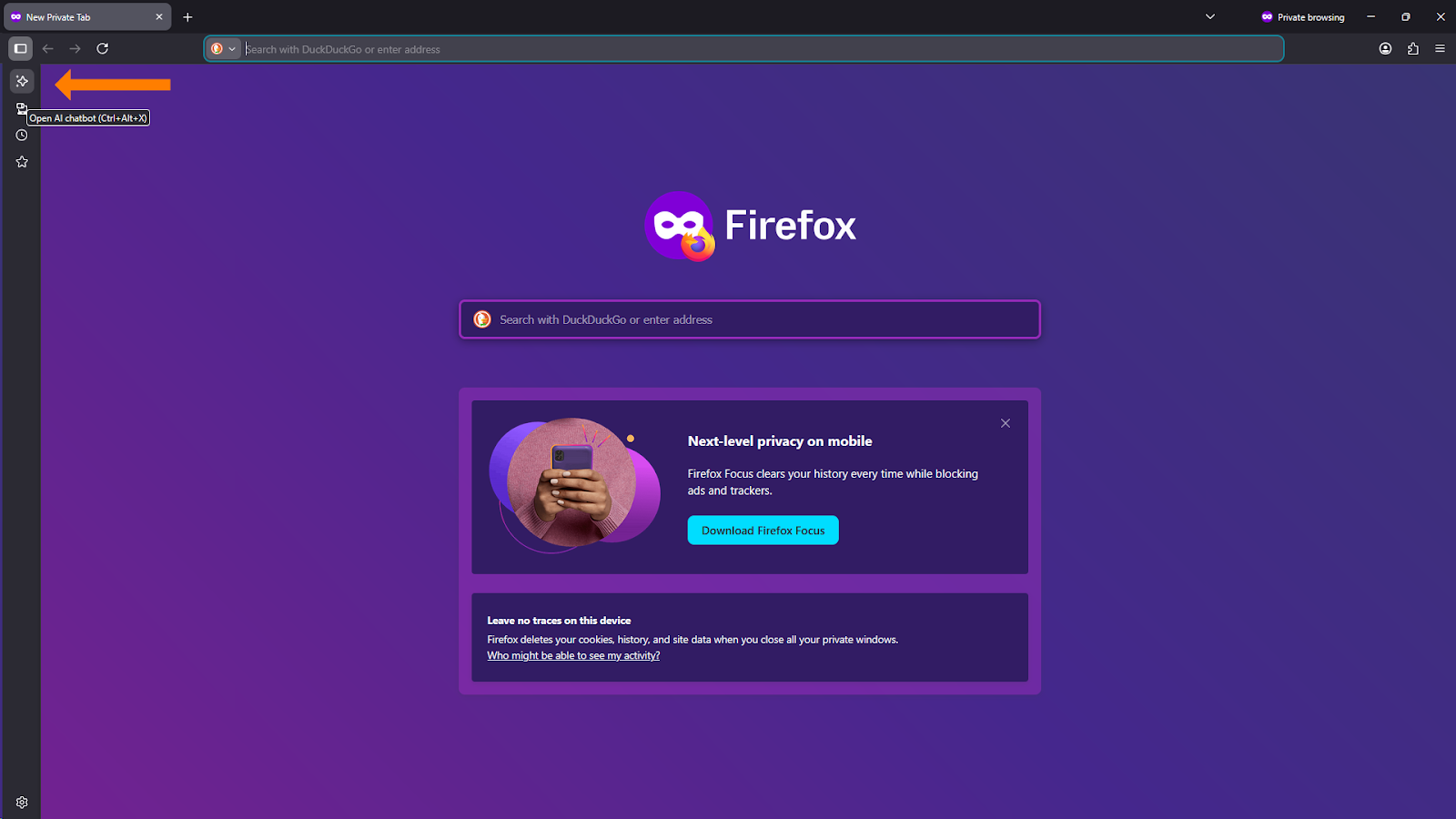
First, you’ll have to open Firefox and expand the sidebar on the leftA screenshot of the Firefox "New Private Tab" home page in dark mode. An orange arrow in the top-left corner points to a new square icon in the sidebar, used to toggle the AI chatbot panel.
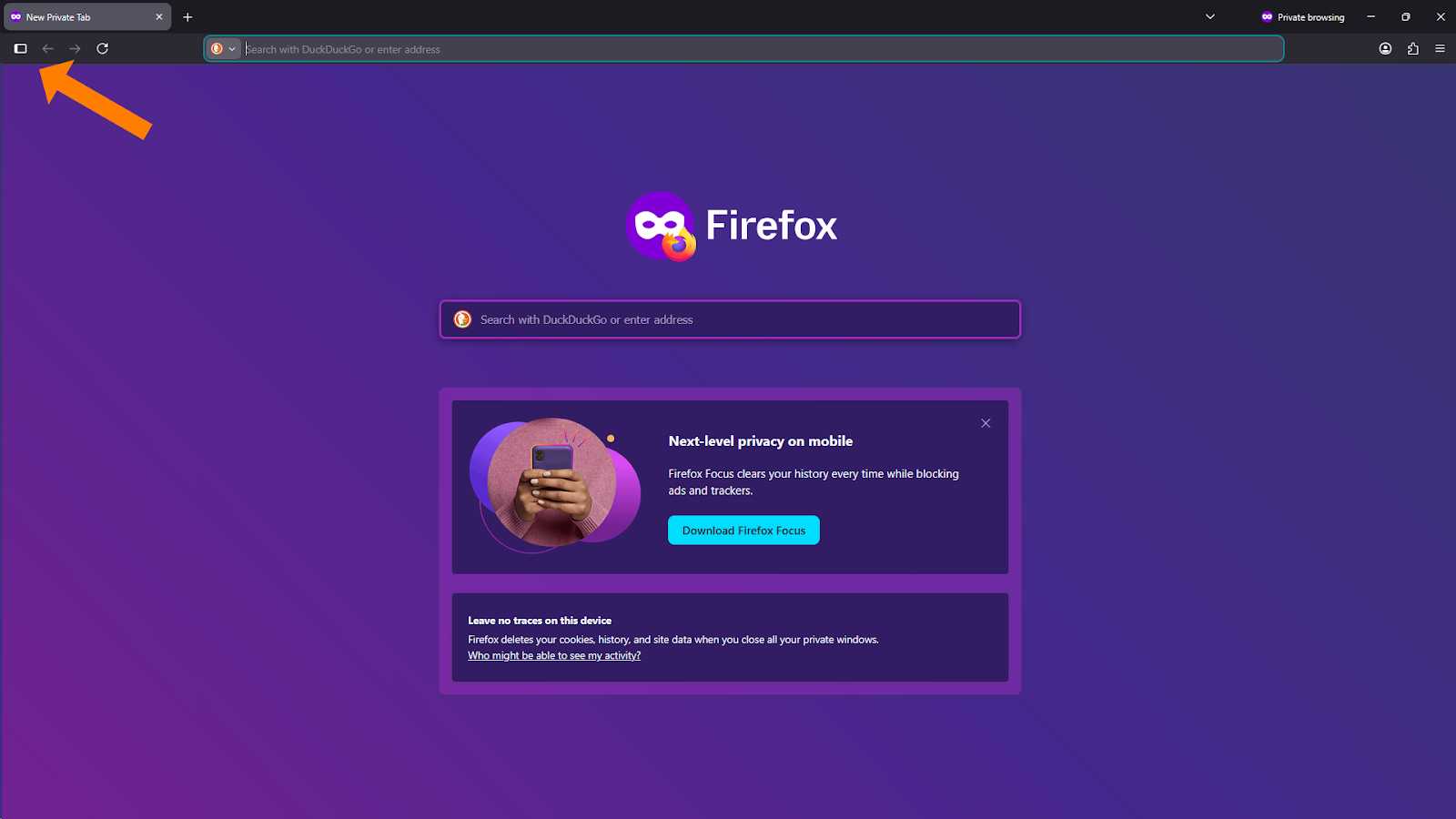
 

Then click on the AI chatbot iconA screenshot of the Firefox browser with the sidebar slightly expanded. An orange arrow points to the AI icon, and a tooltip appears next to it that reads "Open AI chatbot (Ctrl+Alt+X)".


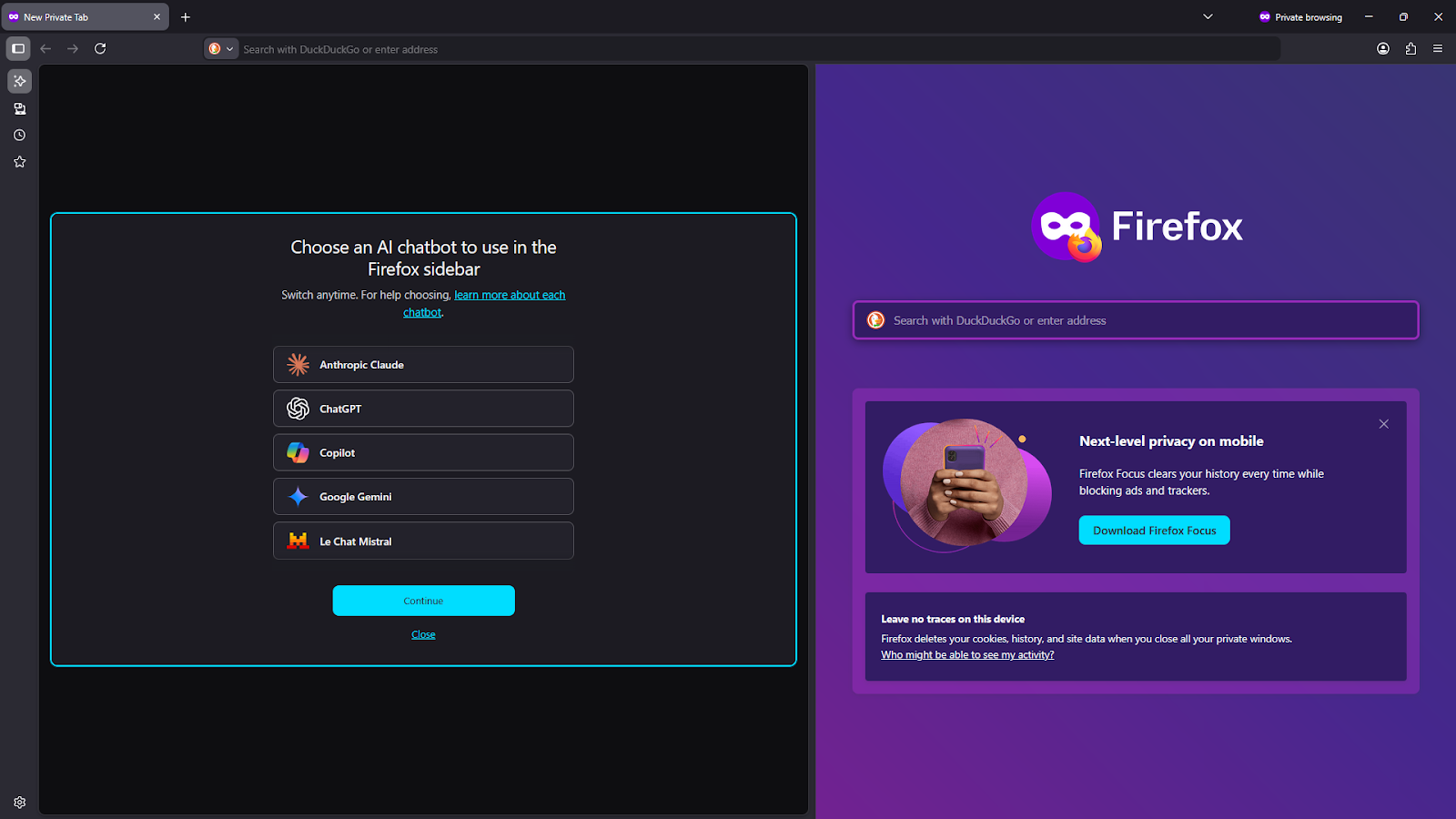
Now you get to choose from 5 of the most popular chatbotsA screenshot showing the Firefox AI sidebar fully open on the left half of the screen. The panel title is "Choose an AI chatbot to use in the Firefox sidebar" and lists five selectable options: Anthropic Claude, ChatGPT, Copilot, Google Gemini, and Le Chat Mistral. A blue "Continue" button sits at the bottom of the list.
 

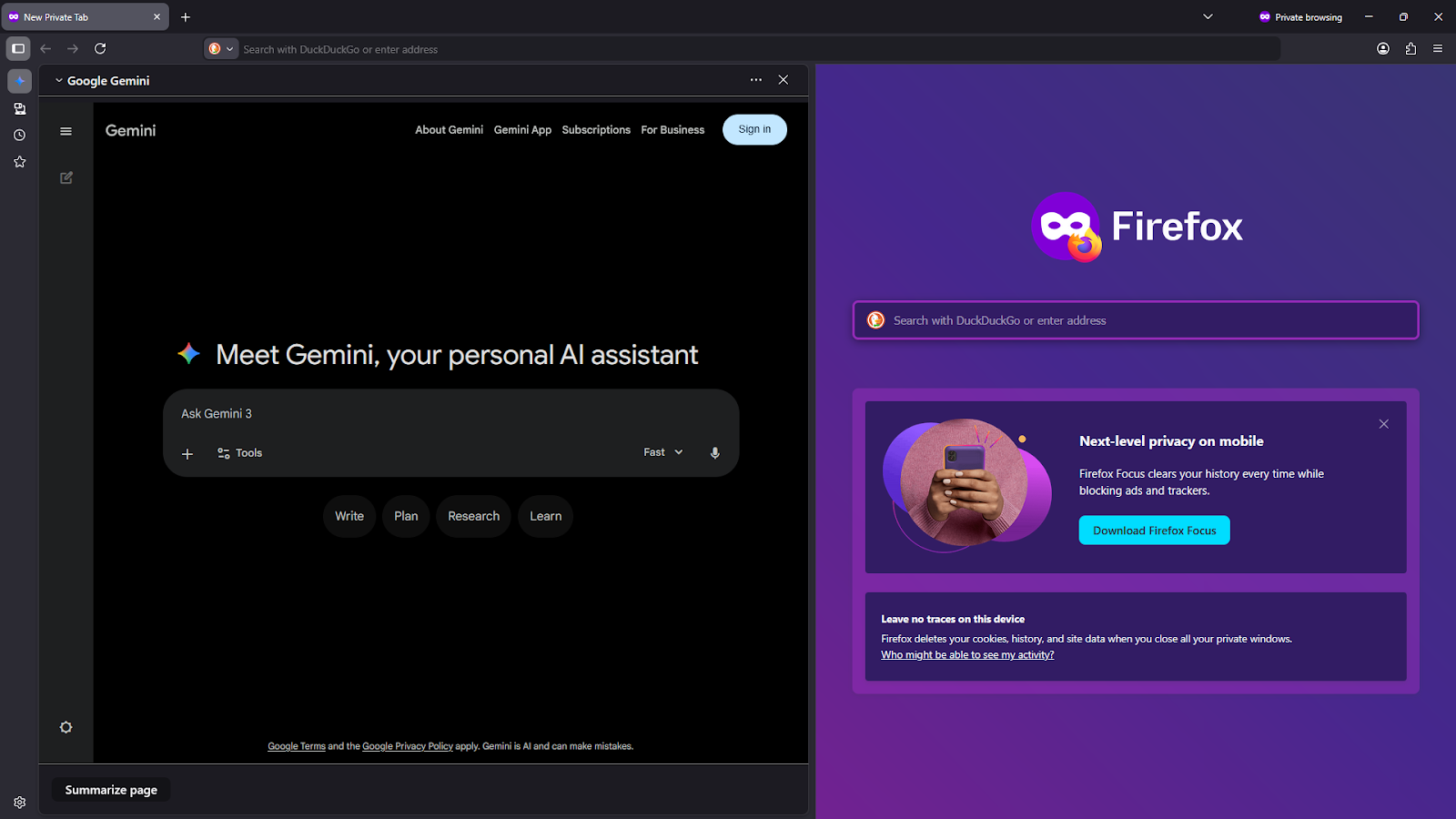
Once you choose, you will have a completely different experience with Firefox’ browser on the right and your AI chatbot of choice on the left.A screenshot of the Firefox browser with Google Gemini active in the sidebar. The sidebar displays the Gemini home screen with the header "Meet Gemini, your personal AI assistant" and a prompt bar that says "Ask Gemini 3". A "Summarize page" button is visible at the very bottom of the sidebar.
 

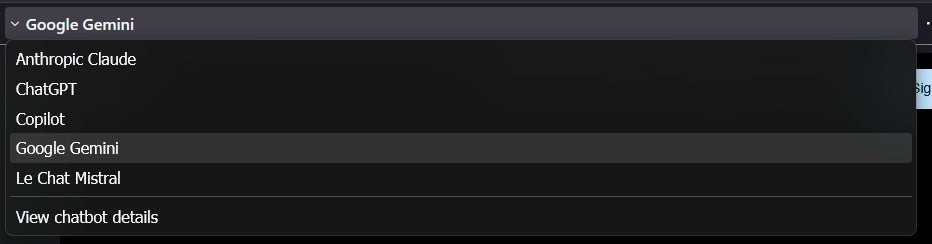
You can always click where it says Google Gemini near the top and change to one of the other chatbotsA close-up screenshot of the chatbot selection dropdown menu within the Firefox sidebar. "Google Gemini" is currently selected and highlighted in grey. The other available options listed in the menu are Anthropic Claude, ChatGPT, Copilot, and Le Chat Mistral, with a "View chatbot details" link at the bottom.
 

If you use more than one of these chatbots regularly, this might be your new favorite interface…


See it in action:



NotebookLM Weekend Masterclass - Cohort 2 no Dates

Make Your Documents Do Something

Turn PDFs, notes, and transcripts into usable insights instead of digital clutter. 

Comments

Related posts