


Well, did you?
To be clear, this only turns off the VISIBLE watermarks. There are almost certainly non-human-detectable watermarks in all of the chat and artifact output to comply with different global regulations.
Either way, people have gone to great lengths to get rid of the “NotebookLM” watermarks on the artifacts (slide decks, videos, etc.) so I think that people will still appreciate this.
The other thing worth noting is that this may not be available on every type of account. Right now, it is available on AI Pro and AI Ultra accounts. Other accounts have the option greyed out with a little “upgrade” link next to it. They initially only had it on Ultra accounts so the fact that Pro accounts can use it now makes me wonder if they will open it up to everyone over time. We’ll see.
To access the feature, click on settings in the upper right corner of the screen and find the “Remove watermarks” option. If there is a check next to it, then it is enabled. If not, click it to get a check (in theory).
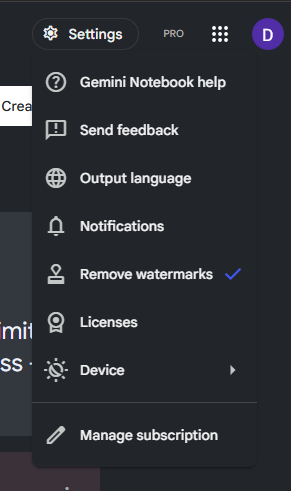
If yours looks like this -
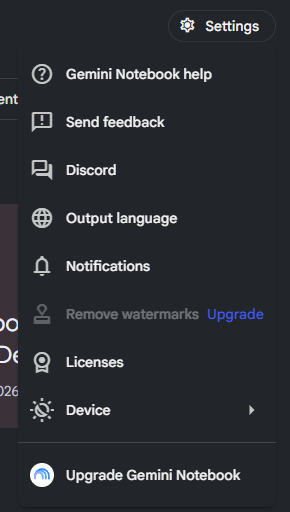
Hang in there and maybe they will add the feature to your account (or upgrade and get it now).
Watch the Video:
Master Gemini Notebook, Not Just the Updates
Features come and go. Learn the workflows that make Gemini Notebook one of the most useful AI tools you'll use. Join our next live cohort.
Comments