
<div class="statcounter"><a title="Web Analytics" href="https://statcounter.com/" target="_blank"><img class="statcounter" src="https://c.statcounter.com/12795394/0/d64e9537/1/" alt="Web Analytics" referrerPolicy="no-referrer-when-downgrade">

AI Quick Tips 398: Google’s latest music generation model is now in Gemini app

A graphic title card on a dark blue background. On the left is an orange robot head with a speech bubble containing the text 'AI'. To the right is a light blue circle containing the words 'Quick Tips'.

If you’ve heard about Lyria 3.5 but didn’t have access to Google Flow Music, they’ve released the music model in Gemini app so now more people can use it.

They’ve made multiple improvements, such as -

  • Tracks can be up to 3 minutes long
  • You can define your desired vocals in detail
  • You can provide the lyrics for the song
  • You can create a song from an image
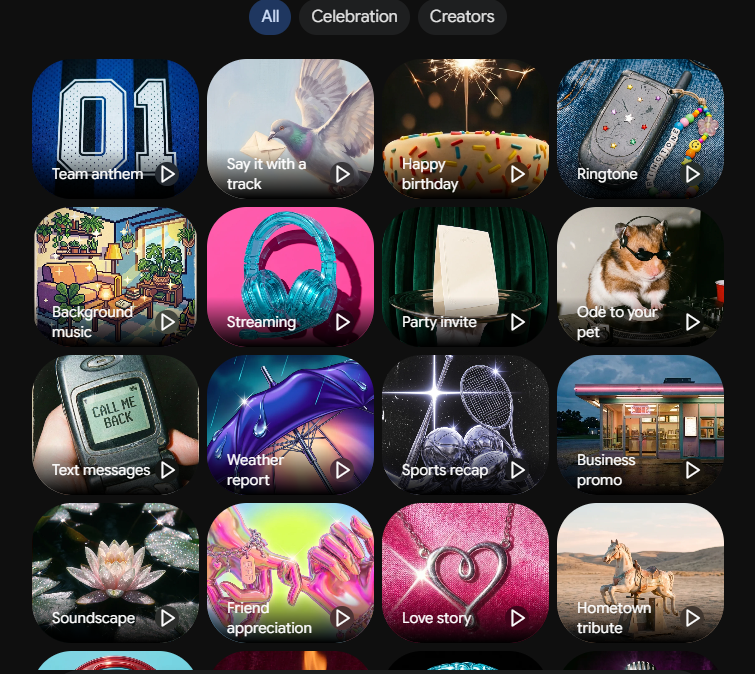
  • There are more templates and examples


To access the model -

  • Go to gemini.google.com
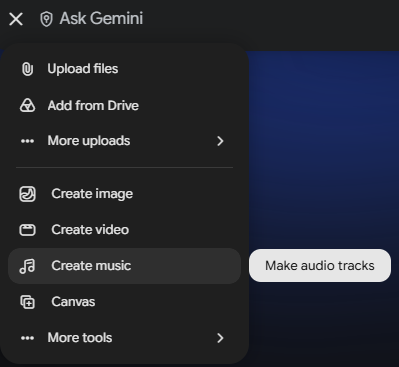
  • Click on the plus (+) on the left side of the prompting area
  • Select create music
    Gemini prompt menu showing options to upload files or create image, video, and music content.

  • Listen to some of the examples for motivationGrid of music creation templates in Gemini including Team anthem, Happy birthday, and Soundscape.

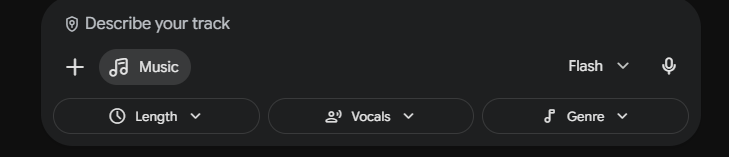
  • Prompt for the track that you want. You can adjust for length, vocals, and genre from the dropdown menusGemini music prompt interface with dropdown menus to customize Length, Vocals, and Genre.

  • When it is done, listen to your track
  • If you want to change something, send a follow-up prompt that specifies what you want to change



Watch a video demo:

 
Blog Subscription Page Icon

New Here?

Don't miss out on these AI Quick Tips.

Comments

Related posts