

MCP servers can add context and tools to your AI chatbots and agents. Since they are usually on a different server (or a different service if it’s on the same machine), you have to establish a connection to them before you can access any of the tools.
The details of MCPs will take us way outside of what qualifies for a “quick tip” so I will assume that you know the basics.
If you aren’t aware, you can connect Gemini app to MCP servers.
The process is pretty straightforward -
-
Go to gemini.google.com
-
-
You will likely need to log in with a Google account (free accounts work too)
-
-
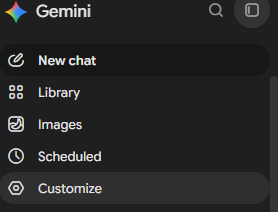
Click on Customize on the left sidebar
-
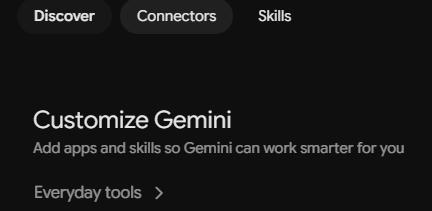
At the top of the Customize page, click on Connectors
-
Near the top of the page there will be a “+ Custom” button (click on it)

-
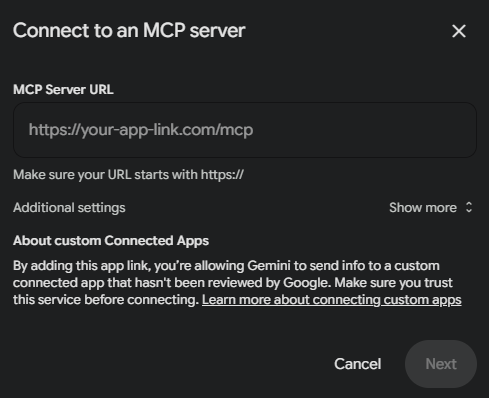
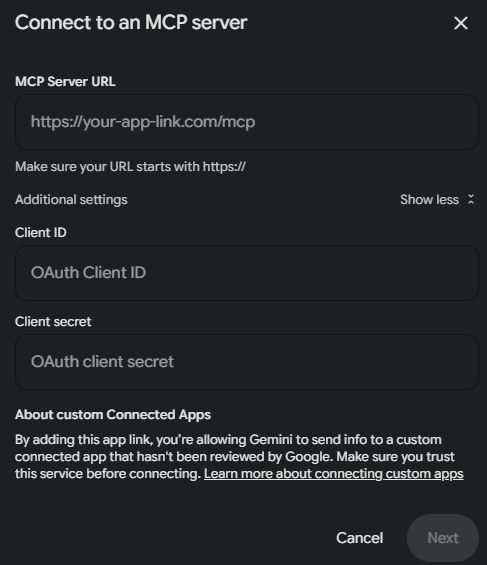
This will bring up the Connect to an MCP server window
-
You may need to click on Show more if you need OAuth
Watch the video:
One More Google AI Feature?
Keeping up with AI updates is practically a full-time job. We'll help you focus on the features that actually make a difference.
Comments