

.png)
Answering your questions about business and technology
Question
I use a lot of my notebooks in Gemini Notebook throughout the day so they get jumbled up. Is there a way that I can keep the ones that I want at the top of the list all the time?
~ Bruce
Answer
Hi Bruce,
Yes, they added a feature that lets you pin any notebook that you want to the top of the pile.
Click the three dots in the top right corner of your notebook’s card to see its menu. One of the options should be “pin to the top”.
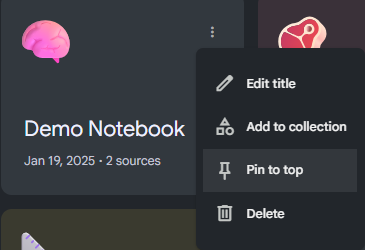
After you select this, there will be a new menu created, called “Pinned”. Any notebooks that you pin will be added to this menu.
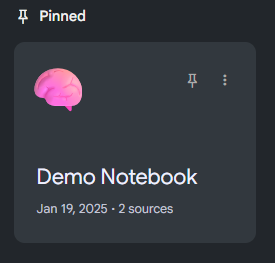
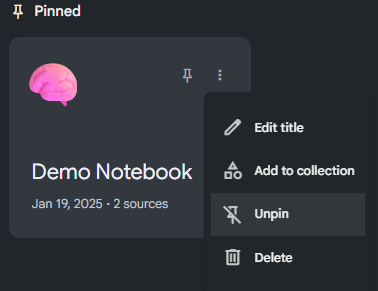
That’s it. If you want to remove a notebook from the Pinned menu, follow the same process except choose “Unpin” from the menu.
Hope that helps.
~ Damien
Watch a video demo:

Still Reading? Maybe you want more
Join us for a weekend masterclass in Gemini Notebook (aka NotebookLM)
Comments