

.png)
Answering your questions about business and technology
Question
I’m getting frustrated with ChatGPT and someone recommended Gemini. Where should I start?
~ Jaime
Answer
Hi Jaime,
If you are already familiar with ChatGPT, Gemini shouldn’t take you long to get used to.
-
- Go to gemini.google.com
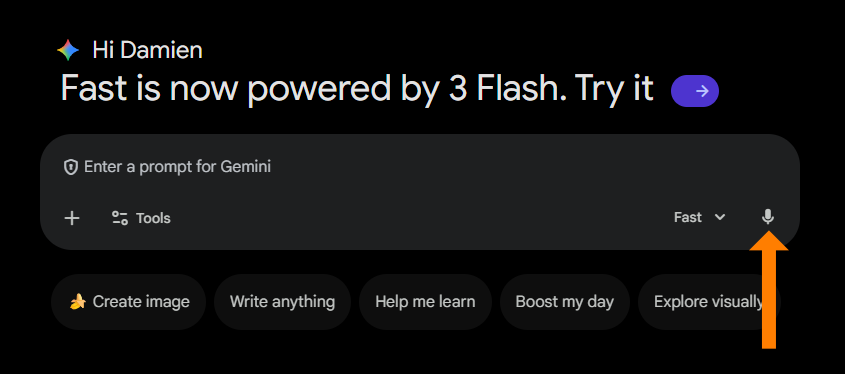
- Click on the area in the center where it says “Enter a prompt for Gemini”

-
- Type in your first Gemini prompt. If you can’t think of anything, here are some ideas
- Ask it a question
- Ask it to tell you a random fact
- Ask it to generate a random image
- Or try “How can someone new to Gemini get started using it?”
- If you would rather talk than type, click on the microphone to turn on dictation mode
- Type in your first Gemini prompt. If you can’t think of anything, here are some ideas
There are a lot of similarities with ChatGPT and there are many things that are different with Gemini. Explore, try things out and come back with any new questions.
Hope that helps.
~ Damien
P.S. I made a quick video to get you started:
.png?width=600&height=496&name=ChatGPT%20Course%20Blog%20CTA%20-%2020%20(1).png)
Prefer a Clear Path Instead of Guessing?
Explore self-paced courses built for real-world AI use.
Comments