

.png)
Answering your questions about business and technology
Question
How can I use AI tools to help me create an impact report for my organization? I have information about the work that we’ve done but I’ve never put together a report like this.
~ Ashley
Answer
Hi Ashley,
For something like this, you can use an image model with thinking/reasoning. That way, it will have a better chance of understanding your data and making better connections before putting the report together. I think that a solid choice for this would be Google Gemini’s Nano Banana 2.
First, I recommend going through your data and removing anything that is sensitive, company-confidential, etc.
Then open Gemini (gemini.google.com)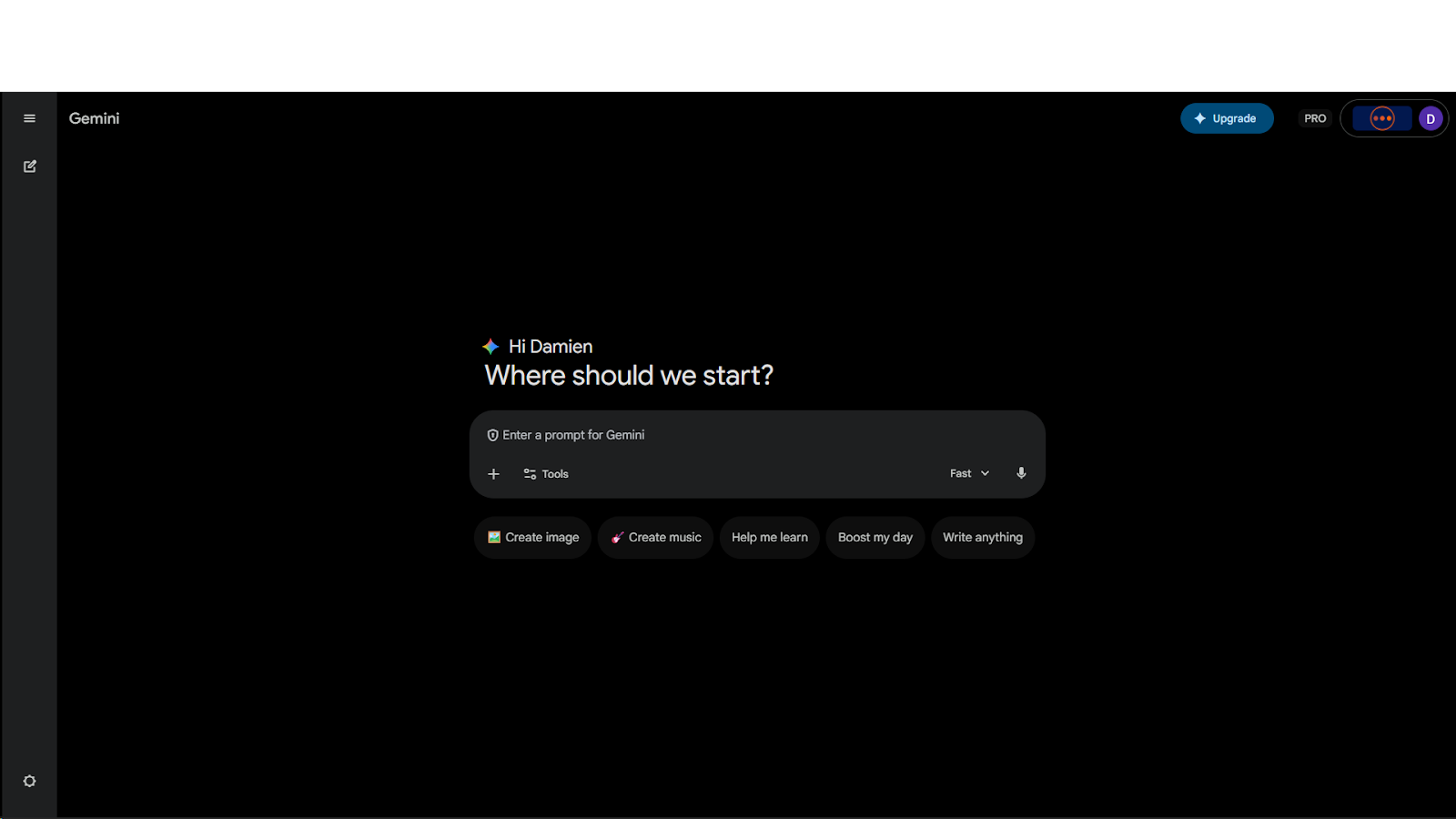
Click the arrow next to “Fast” and select Thinking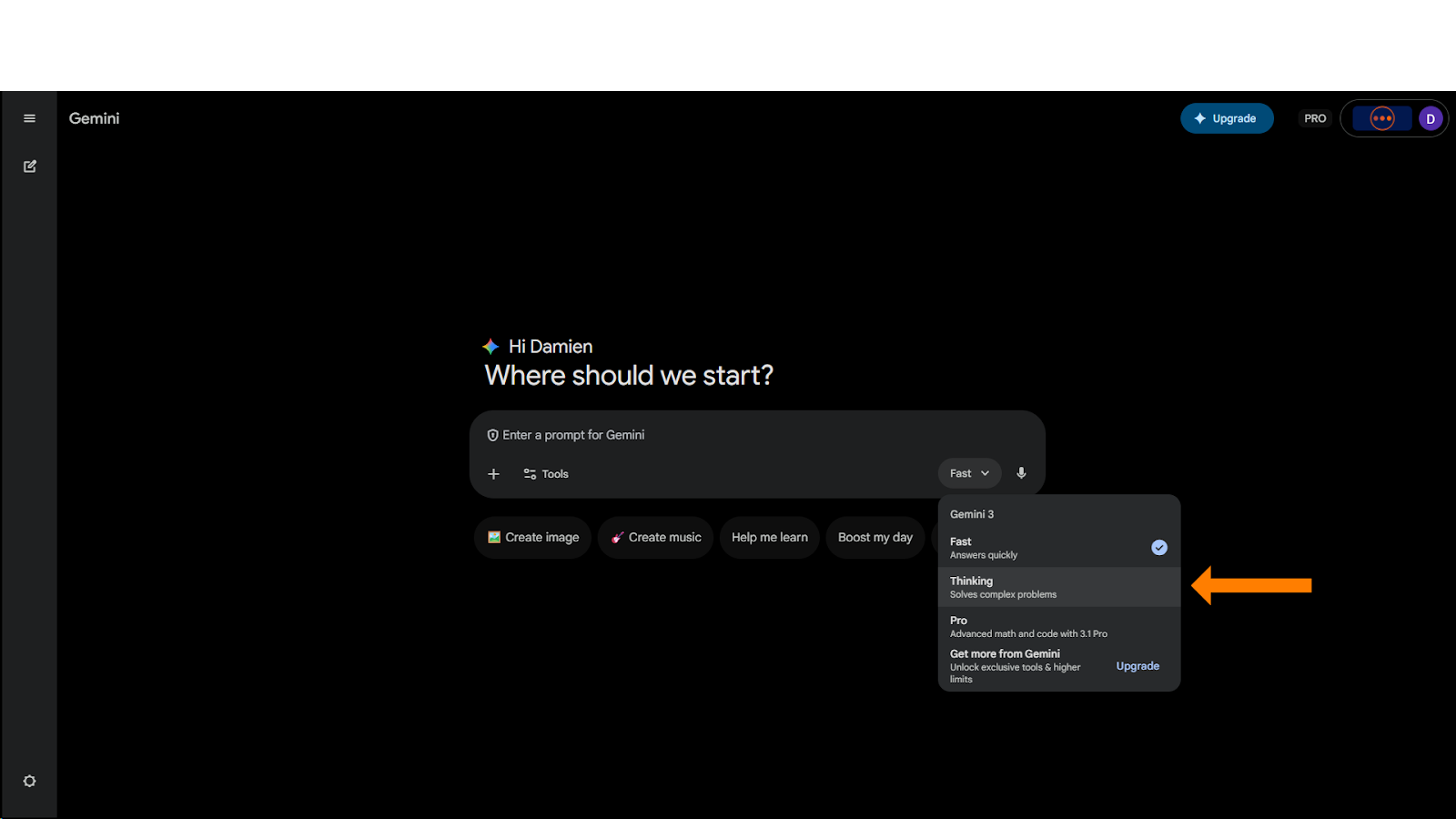
Then click on Tools and select Create Image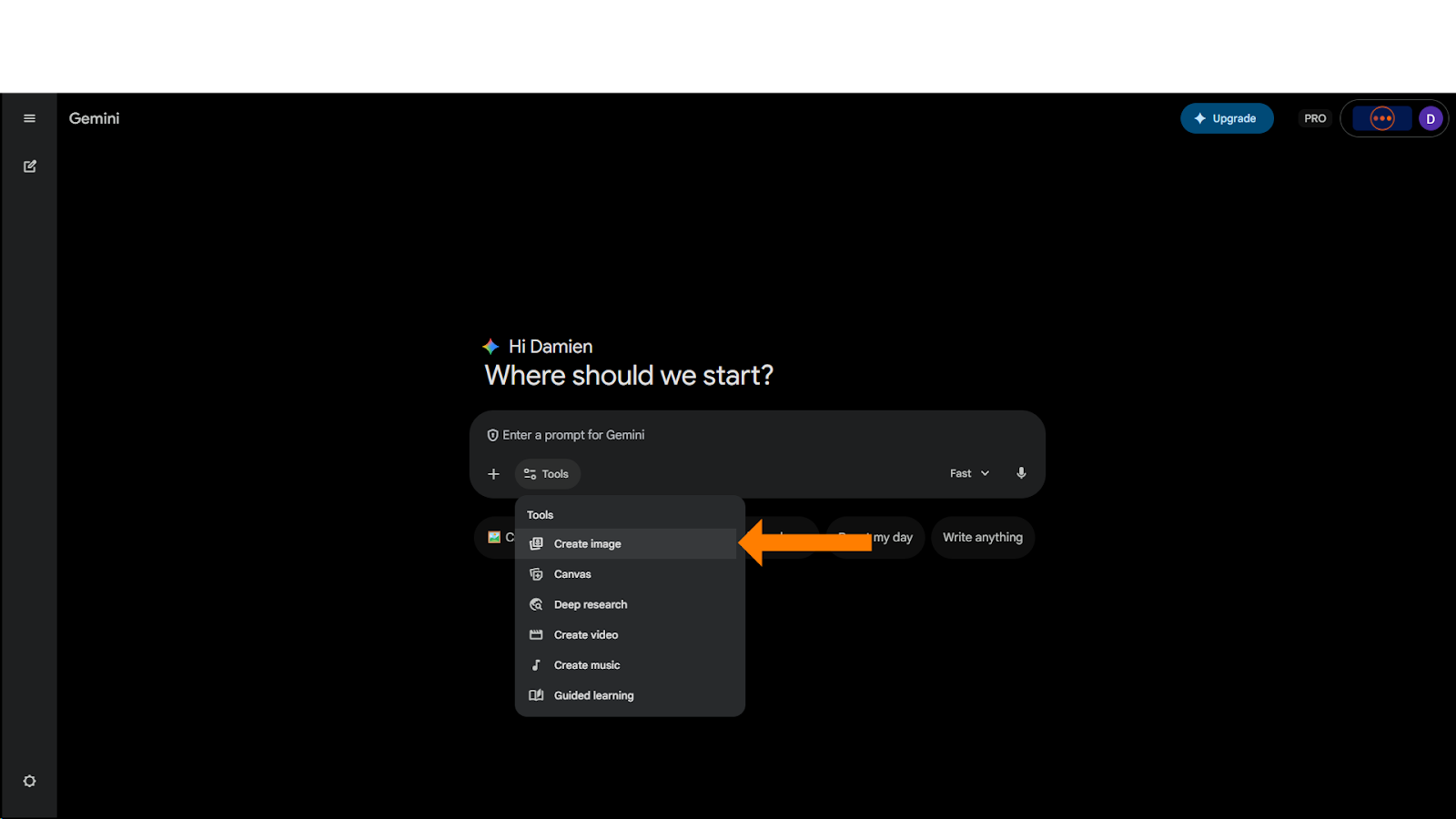
Now attach your information and you can put it all together with a prompt like this -
“Reference the attached information and create an impact report for this organization. The report should help people understand the impact that we are making in the community and make it clear why they should get involved.
If any information is missing or unclear, ask clarifying questions (instead of looking up or making up information) before you start.”
If you have specific design elements that you want (or don’t want), you can add them to the prompt.
Once the report has been created, you can accept it as-is or give Gemini a follow-up prompt to change things that you don’t like. Make sure you indicate the things that you do like and want to keep. Iterate until you have a report that you like or you have seen enough variations that you can create something outside of Gemini.
Hope that helps
~ Damien

You Probably Won’t Click This.
Most people don’t. Then they ask us later how we did that cool AI thing we showed in the video.
Comments