


Gemini has had the ability to create files for a while, but it didn’t really work that well, for me at least.
It looks like they’ve updated the feature(s), and you should be able to consistently create downloadable assets with the Gemini app (on the computer, I haven’t tried the mobile app yet).
How This Works
It works the way you would expect it to. Ask it to create one or more files and tell it the type(s). You could leave it at that, but I recommend adding a little bit more information to get results that you’ll be happy with.
For example -
- Tell it the file extension, if you know it
- Give it a name for the file
- Tell it what to put in the file
- Tell it where you want the file (i.e., Google Drive, local download, etc.)
If you ask for local files, then Gemini will run some Python code and then give you files that you can click and download.
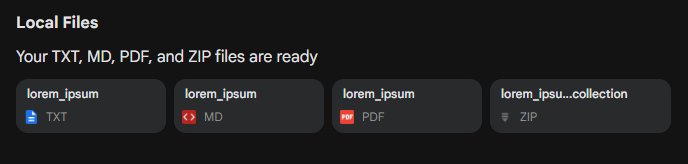
If you send files to Google Drive, then it will save them in My Drive by default.
File Types
You can request the following file types (for now…) -
- Google Doc
- Google Sheet
- Google Slide
- PDF (.pdf)
- Text document (.txt)
- Microsoft Word Document (.docx)
- Microsoft Excel Spreadsheet (.xlsx)
- Comma Separated Value (.csv)
- LaTeX
- Rich Text Format (.rtf)
- Markdown (.md)
- Zip file (.zip)
Watch it in action:

Finally… AI That Pulls Its Weight
Set up NotebookLM so it helps instead of giving you “almost right” answers.
Comments