


They’ve added a skill-building tool within Gemini in Google Docs.
Unfortunately, it is currently only available on paid accounts, but maybe they’ll change it by the time you read this (I have no control over that or insight into it, though).
To see and use the tool,
- Open Google Docs (docs.google.com or create one from Google Drive)
- Do one of these
- Open the Ask Gemini side panel
- Open the Gemini bottom bar
- Click on the tools icon
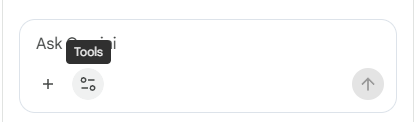
- If you have access to it, Skill Builder will be there
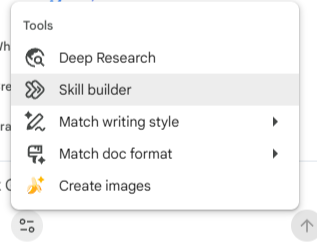
Once you click on the tool, the icon will change to the Workspace Studio icon and the default text in the prompting area will change to “Create a skill to”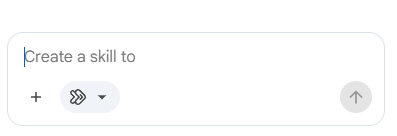
Now all you have to do is tell it what kind of skill you want and it will write it out in your Doc. You can modify its output completely by yourself, completely with Gemini, or with a combination of the two.
See a demo of this:
Less AI Friction, More Results
Fix the “why is this not working?” problem and start getting consistent outputs.
Comments